ZLINE Catalog Exclusively on 2020 Cloud
We are pleased to bring our US & Canadian customers a brand new catalog exclusively available on 2020 Cloud! This new catalog from ZLINE Kitchens features 32 new range hoods, designed for wall or island mounting, and includes their eye-catching wooden finished range hoods. About ZLINE: ZLINE Kitchen and bath is built on …
2020 Decorative Catalog – New items available now!
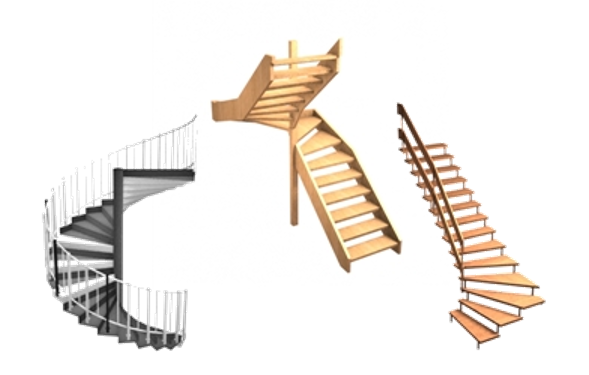
We are delighted to announce the latest release of the 2020 Decorative Items Catalog. In this iteration we have added 119 new products, including a whole new category for staircase styles. In addition, to enhance your designs of living spaces, you will find a selection of sofas, new tables and …
2020 Decorative Items – Your Suggestions
New Filtering in 2020 Cloud
We’ve recently simplified and enhanced the item filtering in 2020 Cloud. Filtering items based on Item Name, Order Code and the three different Description Types (Short, Standard and Long) can now be achieved using a single filtering field just above the list of item results (indicated in red in the image on the …
Artful Creations with 2020 Cloud
They say a picture speaks a thousand words- with the paintings, wall-hangings and photographs in 2020’s Decorative Items catalog, you can tell a story with your designs and renderings. Whether your clients prefer ultramodern or classical art, we’ve got many options to choose from. Add depth and soften a room …
2020 Cloud Tips and Tricks – Displaying Columns
Did you know that you can choose which columns are displayed within the results list? Click the Configure Results option – the button with the small cog just to the right of the Filter. Using the check boxes, set which columns you want to display or hide. Click the OK button to apply …
What’s for breakfast?
With the wide range of items available in the 2020 Decorative Items catalog, you can design your customers’ kitchens to suit not only their tastes in cabinetry and appliances, but their lifestyle too. Make your customers’ designs feel like home, whether that’s with a simple coffee …
2020 Cloud Tips and Tricks – Configuring Columns
Did you know you can change the position and size of the displayed columns within the results list? Click & Drag a column header either left or right to place it in a new position. Click & Drag the separator between 2 column headers, to resize the columns. Note that the position and size of …