
-
-
March 9, 2026 at 2:09 pm #443364
Willesa
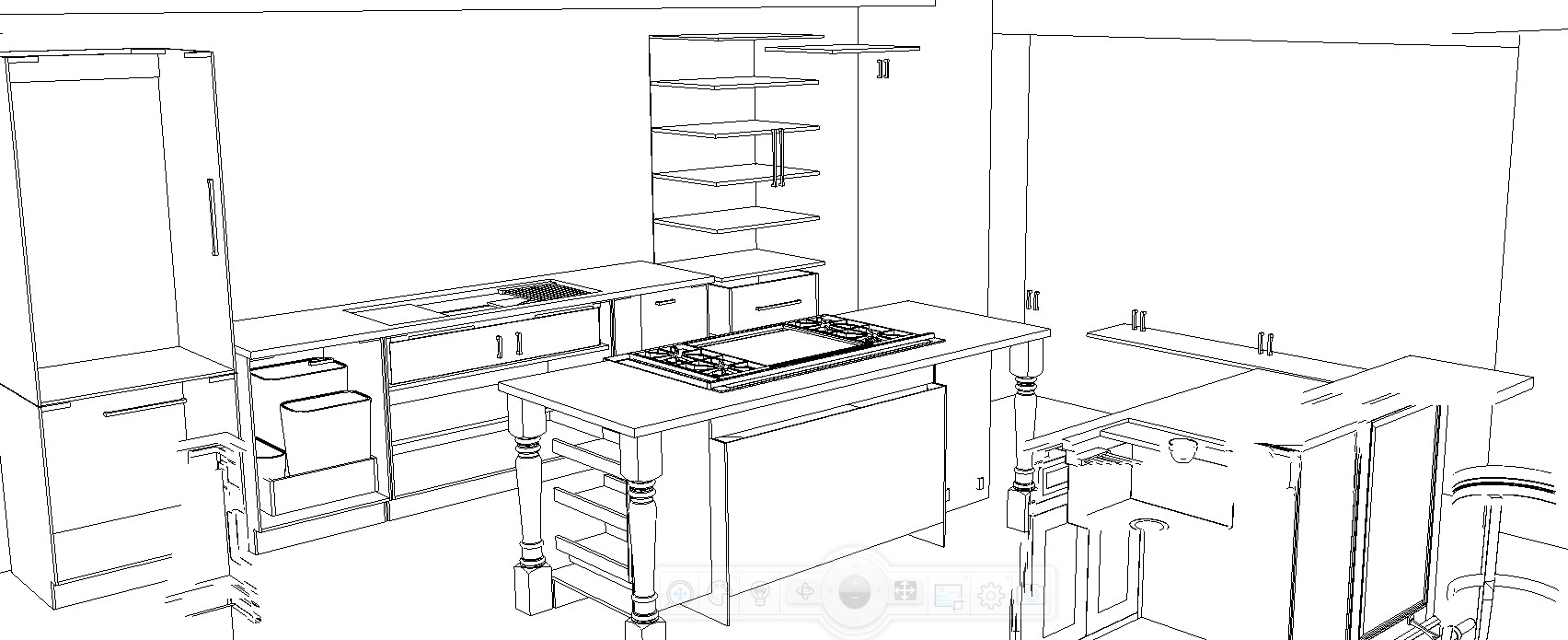
ParticipantI have no words to be honest. I updated Design Flex before I left work last week. This morning, I attempted to open a drawing I had been working on for two years and I could barely get it to operate properly.
As I am trying to re-draw the entire thing, I began to experience even more issues. I don’t even know where to begin. Over the past 6 hours I have had a very difficult time using copy/paste, I’ve had so many issues with the placement box, after running Design for a few minutes, I can’t click to change anything in the placement box, I can’t use tab to go from one box to the next, all I can do is click save, close the program and re-open it.
Six hours of this…….
Then this last attempt, I clicked save. Closed the program completely and re-opened it. To this, what you see in the picture. I have styles & attributes set correctly but the doors are drawers have ceased to exist.
Attachments:
-
March 10, 2026 at 1:09 pm #443376
 Kimberly MattarParticipant
I’m hoping someone has an answer for this too. The placement tool is really acting up with the latest download. I came here to look for tips on the lighting changes. Everything is either too dark to render anything, or too bright and peachy colored. In the meantime, I will check out to see if there is any training on the latest update.
-
March 10, 2026 at 1:26 pm #443377Kimberly MattarParticipant
No recent training found (though they are not dated so it’s hard to tell). And the latest on YouTube is from 2 years ago. However, I did change my rendering engine back to EZ Render. The Cycles one was making some items ghostlike (almost invisible).
- This reply was modified 3 weeks, 5 days ago by Kimberly Mattar.
-
March 13, 2026 at 2:23 pm #443399
Hunter Lyles
ParticipantTo solve the ghost like issues with items, especially sketchup items, make sure you go to the item attributes, textures, select the default texture and se it to none.
As for being too bright or too dark; when you are using the cycles engine you must make sure all of your walls are drawn for a room. After you have ensured that, you can place light sources around the room using the local catalog browser. To find the light sources go to ROOM_FUR>Lighting Fixtures>Light Source. After you place it, right click the light source and go to “Light Properties”. From there you can change the brightness of the light (typically between 60 and 100 Watts is desired depending on the amount of light sources) and you can change the shape of the light cone and color source of the light. You may also find it helpful when viewing a rendering to adjust the lighting properties using the hotbar at the bottom of 3D renderings. Typically turning natural lighting down, turning Artificial lighting up some, and turning user added lighting up some helps balance but each rendering is unique so I encourage you to play with the lighting settings.
If you want to use the cycles rendering engine, please make sure your computer has a powerful graphics card and that you have the check box for “hardware acceleration” turned on under Preferences>Rendering. If you do not have a powerful graphics card you should continue using EZ Render as opposed to Cycles. Cycles is much more realistic looking with lighting and reflections (especially metal and semi-transparent objects)
-
-


You must be logged in to reply to this topic.