
-
-
December 20, 2021 at 1:38 pm #353530
Willesa
ParticipantSince installing 13.1 last week, on the print preview screen, I hold down the middle scroll wheel and move my drawing around so that I can see everything. Everything is fine until I actually print the page. The printed drawing comes out shifted back to the default settings and not where I had positioned the drawing.
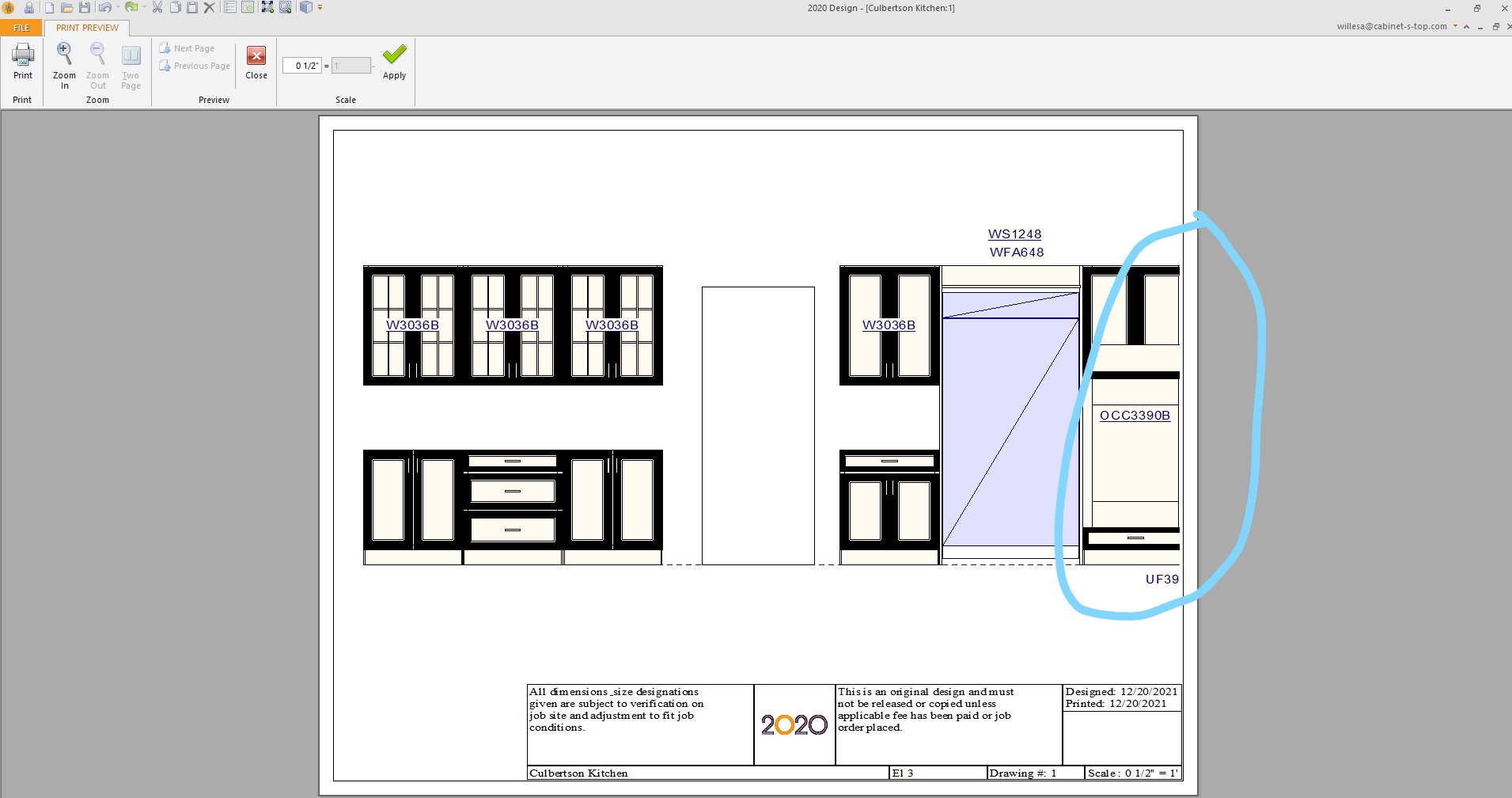
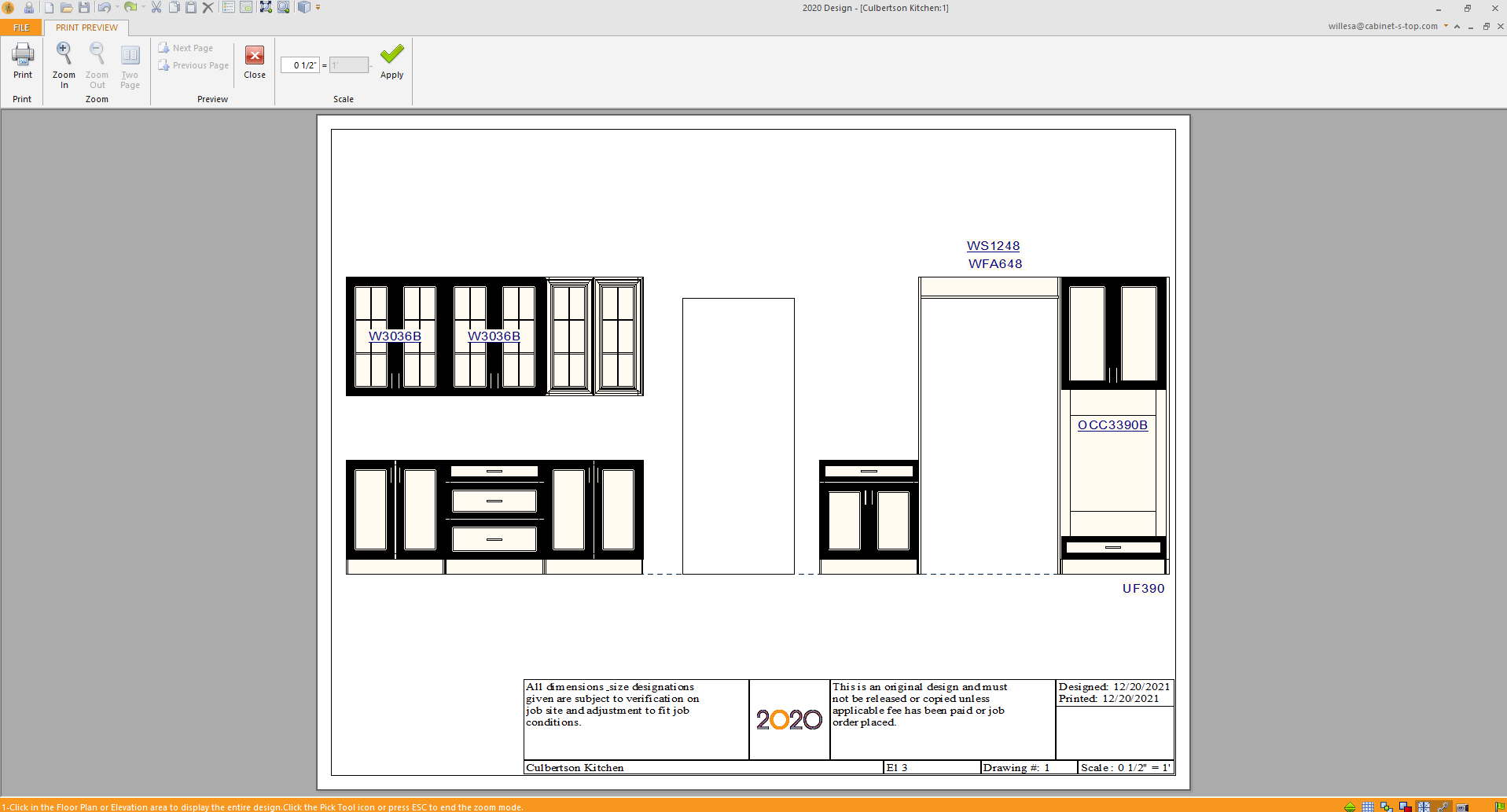
I’m attaching 3 pictures. 1 = Default View, 2 = Repositioned within 2020, 3 = What is actually printing, it’s cutting off more of the right side when printing that what is shown in the default view. This never used to happen, it would always print where it was positioned.
Is this something I can fix on my end or do I need to revert back to the version before 13.1?
Attachments:
-
December 20, 2021 at 3:34 pm #353603
Kristopher Papaleo
ParticipantHi Willesa,
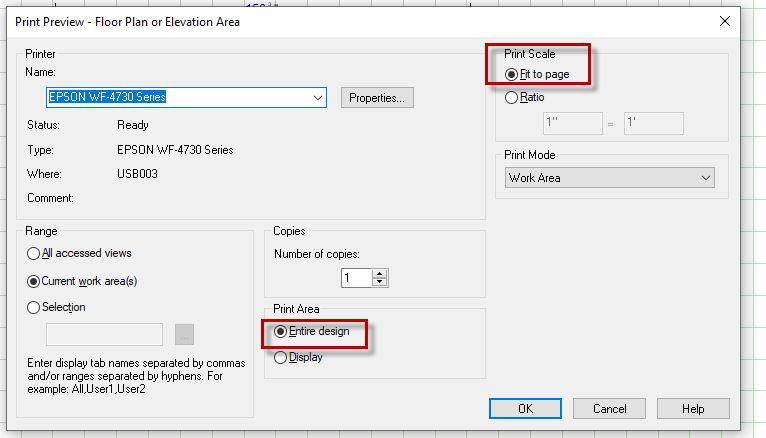
When printing your drawing, be sure to have ‘Entire design’ and ‘Fit to page’ both selected. If these are selected, you should not need to manually center the image. -See image below.
If these options are set but the image still manually needs to be centered, contact our support department so we may connect and see what the issue may be. You can reach us by contacting 1.866.697.2020.
Regards,
Kris
Attachments:
-
December 20, 2021 at 3:37 pm #353614Participant
Thanks, Kristopher, unfortunately I cannot “fit to page” because then it isn’t to scale. I’ve always had “entire design” checked and my scale set to 1/2″=1′. If I use anything but 1/2″ scale the drawings will be ripped up for me to start again… so that doesn’t really help me here. My settings have not changed in 7 years, but only now the drawings do not print correctly. This has only started to happen since I installed 13.1 last Friday (3 days ago).
-
December 20, 2021 at 3:46 pm #353616Participant
Sorry I can’t edit my last post.
Fitting to page tries to fit in the dimensions, that’s where the issue is, if I could move my page around and have it print exactly where I want it (like it used to) there wouldn’t be any issue. But it doesn’t matter where I move my drawing around, it only prints whatever the default view is that pops up.
-
December 20, 2021 at 6:01 pm #353660Participant
Hi Willesa,
I’ve tested this on my end but have not been able to reproduce this type of issue. I had tested using the half inch scale as well but it seems to work correctly. Does this happen with any and all files or one in particular? I would suggest to contact our support department so we may take a closer look at what’s happening exactly. Contact us at 1.866.697.2020.
Regards,
Kris
-


You must be logged in to reply to this topic.