
-
-
August 17, 2021 at 11:09 am #342763
Dan Collins
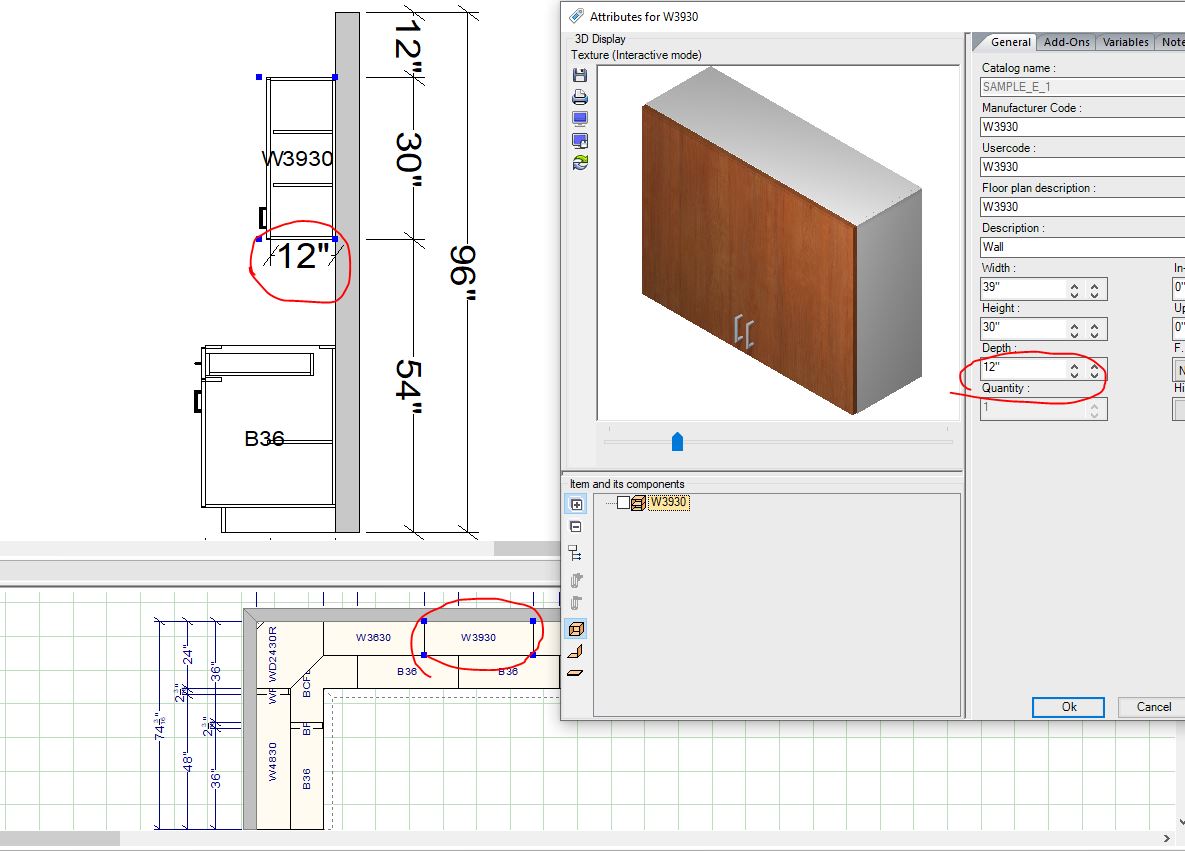
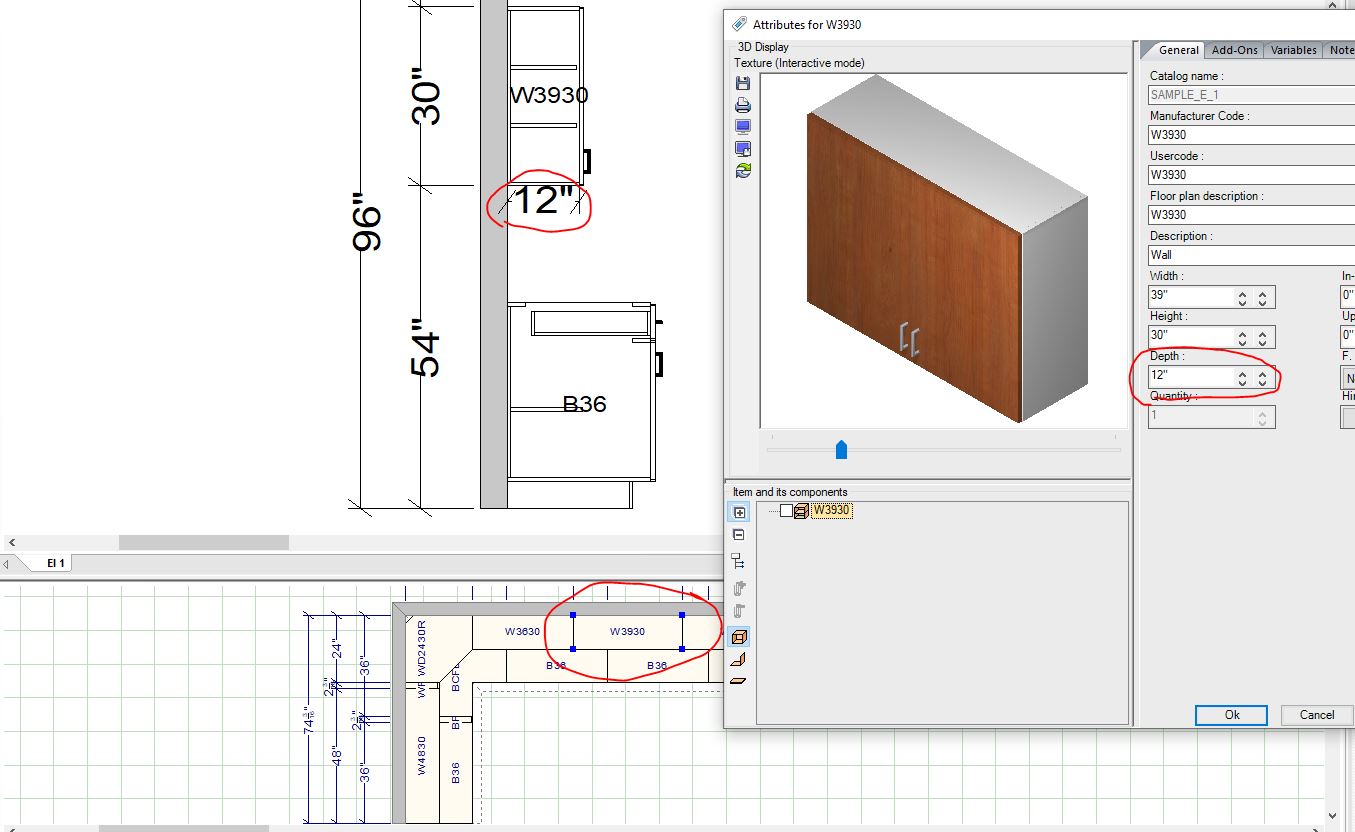
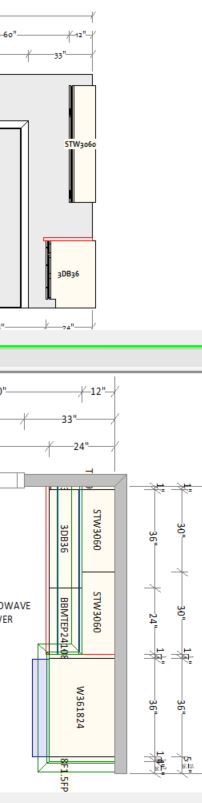
ParticipantWhen you’re looking at a side elevation, why does it always draw upper cabinets 3″ into the wall? The plan and front elevation look correct. This makes my OCD go crazy.
-
August 17, 2021 at 11:15 am #342764Participant
-
August 19, 2021 at 11:48 am #342930
Kristopher Papaleo
ParticipantHi Dan,
I’ve tested the side elevations using the Sample_E catalog and everything seems to be showing up correctly on my side. I have attached some images of side elevations with units facing both left and right. Both sides appear correctly in the elevations. I have tested this in the version 12.5.0. I also had a colleague test this in the version 13.0.0 and it works correctly there as well. Which version of the program are you currently using? Perhaps this was an issue earlier version. This also makes me think that it might be a catalog issue.
If possible, would you be able to let us know which version you are using and which catalog you are using? Let us know by sending an email to ResidentialSupport@2020spaces.com. Please include images of the issue as well.
A side note, to test if this is a program issue or catalog issue, you can use the Sample_E catalog and see if it works. If it works then it is possible it is catalog related and if it does not work correctly then it is possible it is program related.
Regards,
Kris
-
August 19, 2021 at 11:56 am #342949Participant
I meant on a side wall elevation. See attached. It’s been this way in 2020 as long as I can remember. Regardless of which manufacturer catalog I’m using.
Attachments:
-
-
August 19, 2021 at 2:32 pm #343057Participant
Hi Dan,
We are aware of the issue and have it marked as a current bug. This will be fixed in later releases of the program.
As a workaround however, if you turn off the 3D shapes in elevation and print the elevation in ‘Work Area’, it will show the units correctly placed. Or another work around (if you do not want to turn the 3D shapes off) print the elevation in ‘Hidden’ and it will show the 3D shape of the unit and it will be correctly placed.
Regards,
Kris
-


You must be logged in to reply to this topic.