September 27, 2017 at 4:31 am
#150495
 Racheal Haddon
2020 Expert
Hi Naomi,
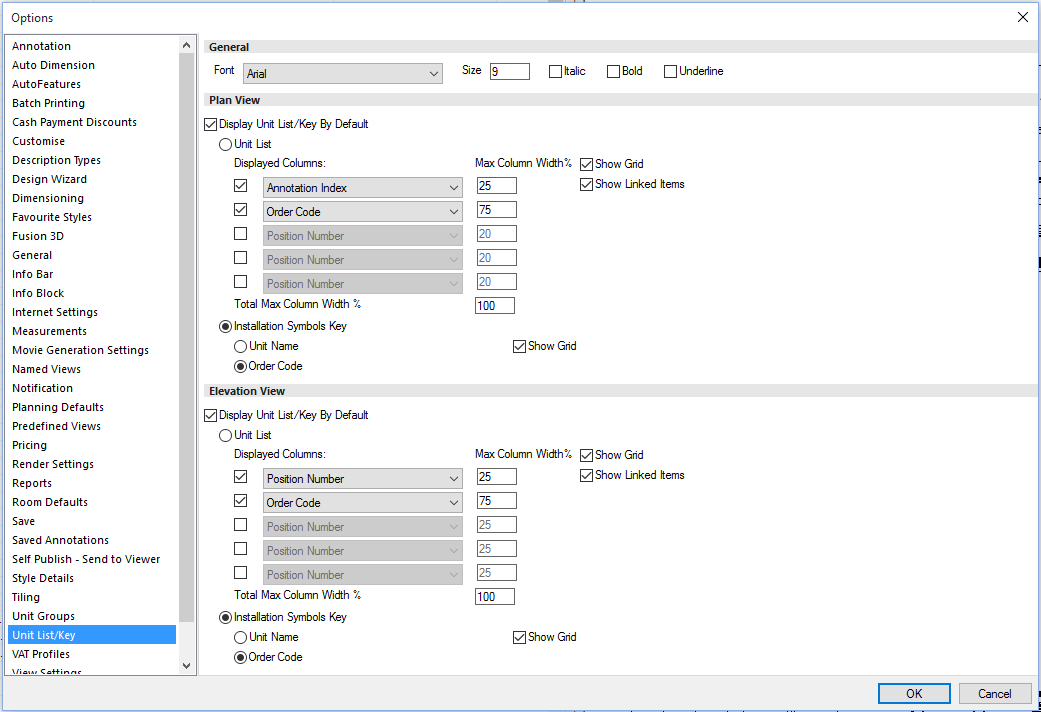
It is possible to present an itemised list with your plan, but only when printing or viewing a print preview of your design.
To enable this, you should just need to select File > Options > Unit List/Key and select “Display Unit List/Key By Default” under the Plan View section. From this page you can also select what data shows in your Unit List (as seen in the attached image).
If you are unable to see this option or have any further questions please feel free to call us on 01233 635566.
Kind regards,
Racheal
Customer Service Agent