December 5, 2022 at 12:46 pm
#417238
 Kristopher Papaleo
Participant
Hi Ariana,
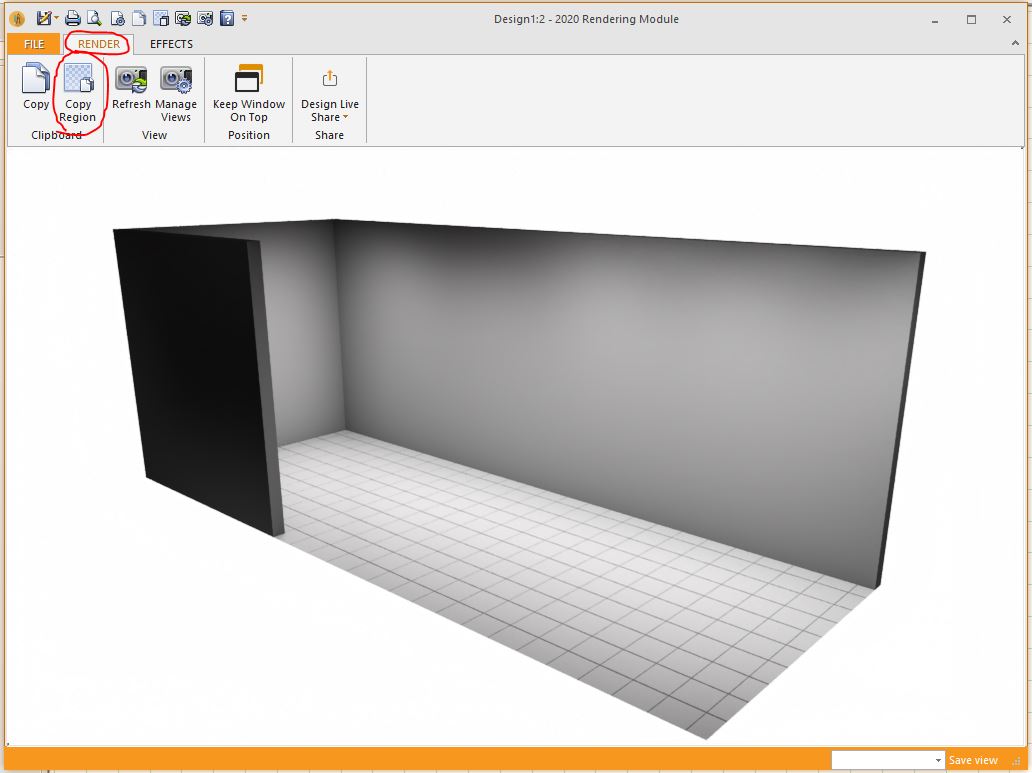
It is possible to crop a view in the rendering and use the image in the Drawing Layout.
When you have the perspective view opened, click on Render and use ‘Copy Region’. Once you click on copy region, lasso the portion of the drawing you would like to use. When you have your region selected, you can close the rendering. Now you can head over to the drawing layout and when the layout is opened, you can right- click on it and click on ‘Paste from clipboard’.
Hope this helps!
Kris