February 17, 2023 at 5:17 pm
#420049
 Kristopher Papaleo
Participant
Hi Kristin,
To correct this issue, please follow the below steps.
1. Make sure the 2020 design program is closed.
2. Open the Nvidia Control Panel.
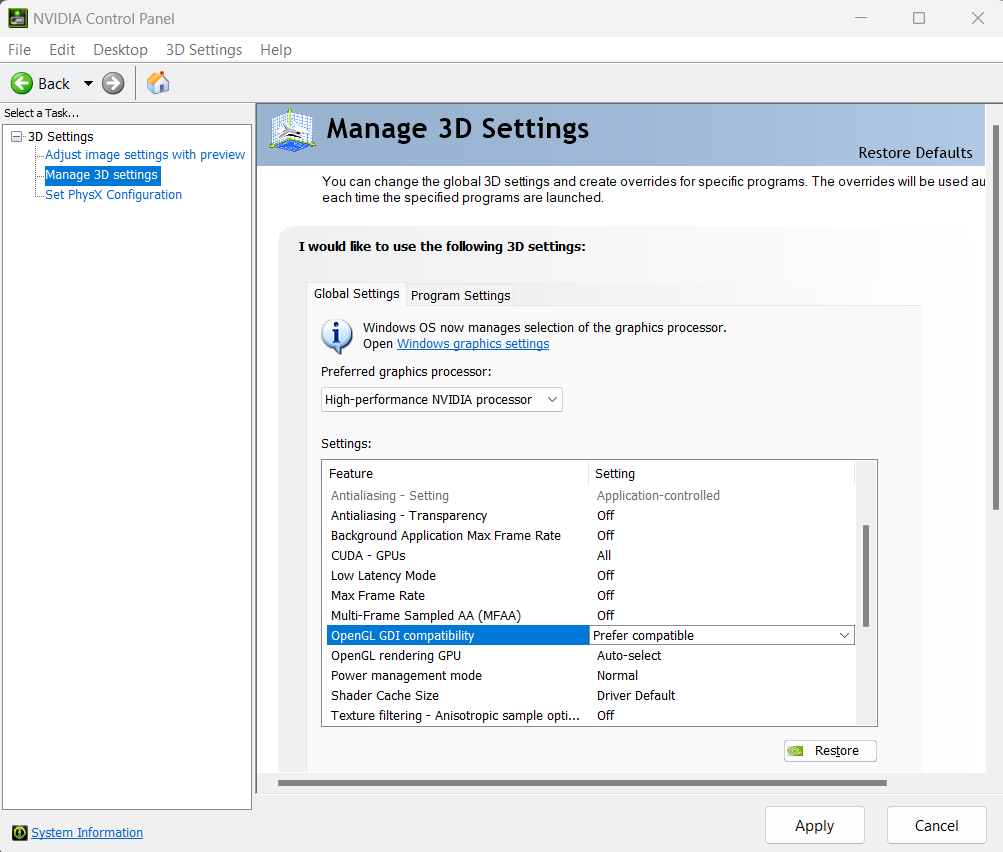
3. In the Nvidia control panel, select Manage 3D Settings on the left hand side. Then on the right hand side, change ‘OpenGL GDI compatibility from ‘Auto’ to ‘Prefer compatible’. -I attached an image showing this option-
Once this is done, the program will render your perspective correctly once more!
Regards,
Kris