
-
-
September 20, 2016 at 5:55 pm #102317
maria c venegas
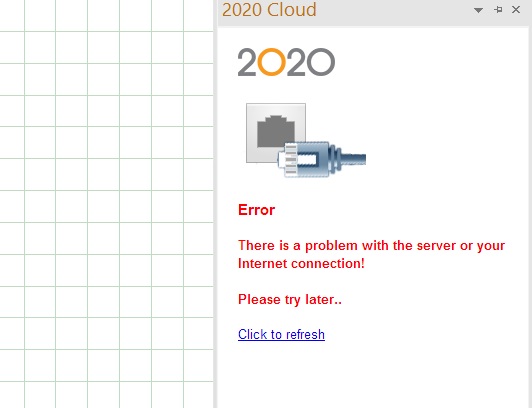
Pilot Proi tried opening 2020 cloud on my 2020 and it does not work, i get this warning, how can i fix it? thanks
Attachments:
-
September 20, 2016 at 8:13 pm #102375
 Mike LangensiepenPilot Pro
Support has a fix for this as I had the same issue but I am unable to find the info which is very unusual as I haven’t deleted a non-junk email in 20 years! I know it involves setting a flag to ‘true’ in (as far as I can remember) a PCS.config file. I know this isn’t much help so I’d recommend ringing support or emailing them directly.
-
September 21, 2016 at 2:53 am #102384Mike LangensiepenPilot Pro
Found it. Use at your own risk!
Close 2020 Design. Browse to the following directory: C:\ProgramData\20-20 Technologies\Config
Locate the PCS.config file and open with Notepad
Within the PCS.config file, make the following changes:
The following two lines most likely are set as follows;
• <add key=”ForceDeleteCache” value=”false” />
• <add key=”ForceDeleteLocalStorage” value=”false” />
Modified them to the following;
• <add key=”ForceDeleteCache” value=”true” />
• <add key=”ForceDeleteLocalStorage” value=”true” />
Save back from notepad and open 2020 Design as normal. You should now be asked to re-enter your login details. Make sure you tick the box that says ‘Remember email’
-
September 21, 2016 at 4:44 am #102385
Ollie Farrant
2020 ExpertGood Morning
If you are still experiencing the above issue, or any other issues, please contact us the 2020 Support team directly and we can connect remotley to resolve these as quickly as possible.
Many Thanks!
-
September 21, 2016 at 11:24 am #102495Pilot Pro
that would be awesome, i am home right now you can email me at marcarven@yahoo.com or call me on my phone, thanks
-


You must be logged in to reply to this topic.