
-
-
November 29, 2022 at 3:22 pm #417010
Anonymous
InactiveGood afternoon friends:
Is there a way to rescale am unscaled plan in 2020 design live?
I thank you much for any help
-
November 29, 2022 at 3:55 pm #417055
Amy Favour
ParticipantHi,
You can change the scale when you go to print.
Hit print and a box will pop up, on the upper left side there is a print scale box- here you can select fit to page (no scale) or a scaled option.
-
November 30, 2022 at 12:55 pm #417063Inactive
HI Amy:
Thank you much for your response.
But it does not give me the option to use the rescaled drawing. I want to rescale the drawing then add cabinets, countertop, fridge …
The way you said it, it just prints on paper or at the base as pdf on my desktop. Any other suggestion? Let me put it this way. You have a floor plan when you measure the doorway, you see its 1′ 3″ (example). Now I want to scale this doorway to become 3 feet so the entire plan become scaled. I hope this makes sense. -
May 9, 2023 at 10:51 am #423502Inactive
Thank you much Amy
-
August 14, 2023 at 6:01 pm #429503
nader et
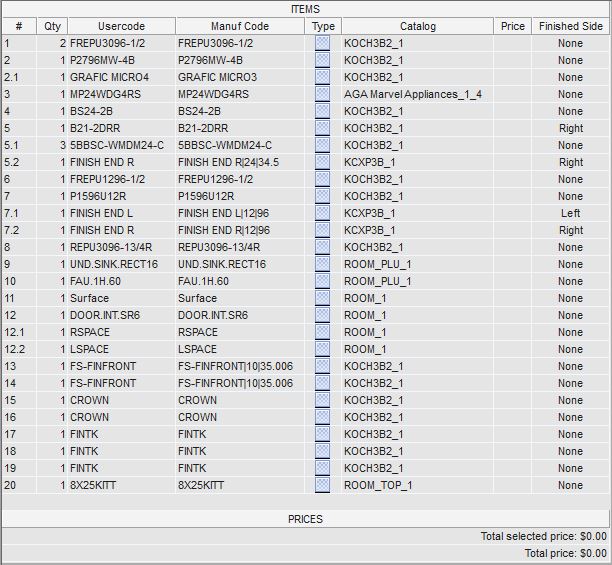
ParticipantHello everyone. Does anyone know how to use the ITEMS LIST to price cabinet material we use in our design? Like i use KOCH for cabinets. How do i type the pricing in my item list?
I thank you much
Attachments:
-
August 15, 2023 at 12:40 pm #429514
Kristopher Papaleo
ParticipantHi Nader,
You would not add pricing to your drawing by typing in the price you want from the Items List.
The prices of all styles exist within the catalog as the pricing is assigned by the manufacturer. To obtain any price, you would first need to assign a Style to your drawing.
To assign styles:
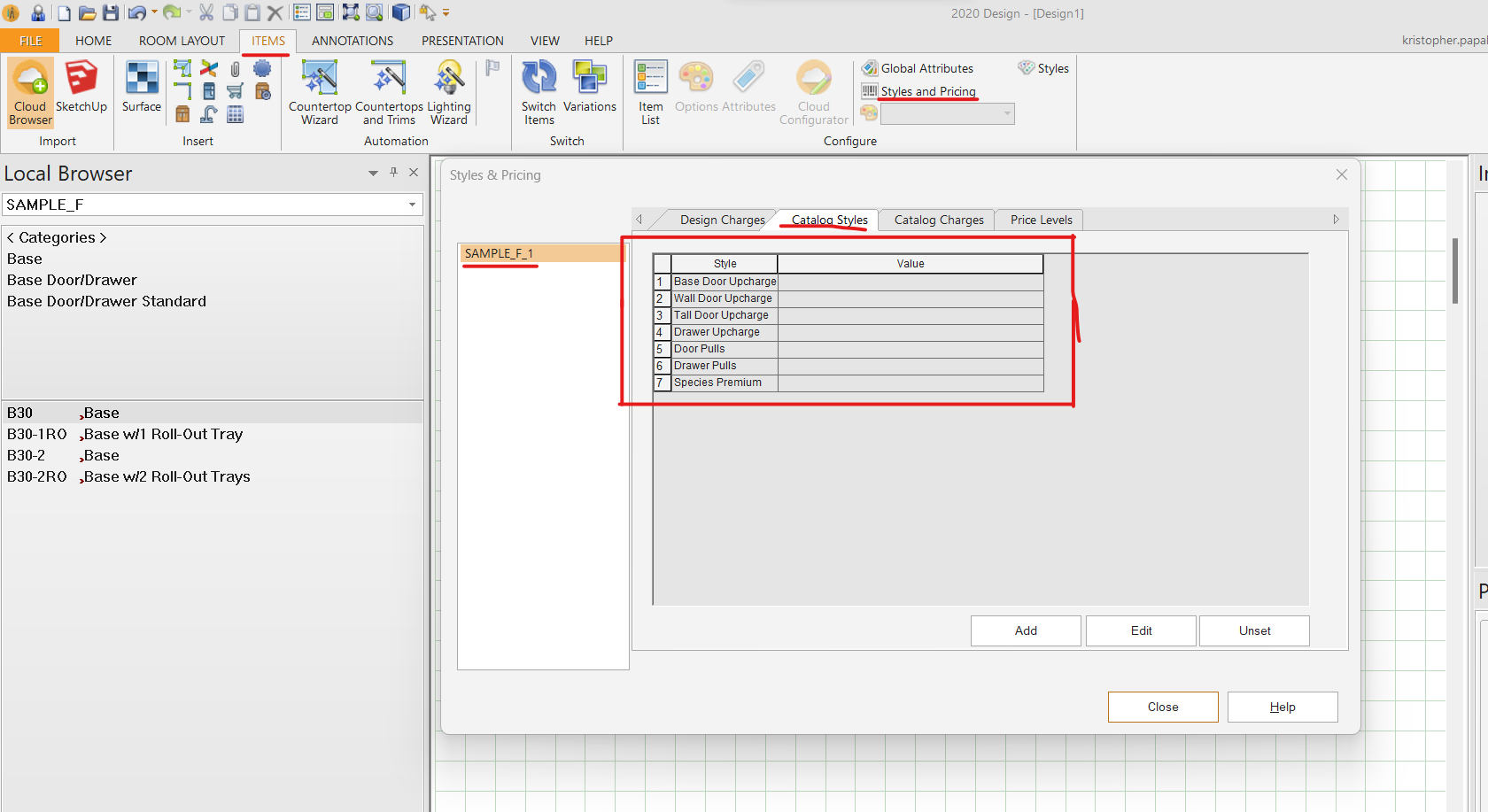
From the floorplan, go to the ITEMS tab and click on ‘Styles and Pricing’. In this option, select the cabinet catalog from the left side and then click on ‘Catalog Styles’ from the right side. Once in ‘catalog styles’ you want to double left click within the empty value section and then you would go through the process of selecting all your styles (See image attached). Once this is done, then pricing would appear for you in the Item List. You can also head to the ‘PRESENTATION’ tab and click on ‘Reports’ to create a quote if needed.
Regards,
Kris
Attachments:
-



You must be logged in to reply to this topic.