Hi Michael,
The 3D shape will always appear ‘above’ another unit. Even if, for example, the 3d shapes height is set at 0″ and the Beam is placed at 96″.
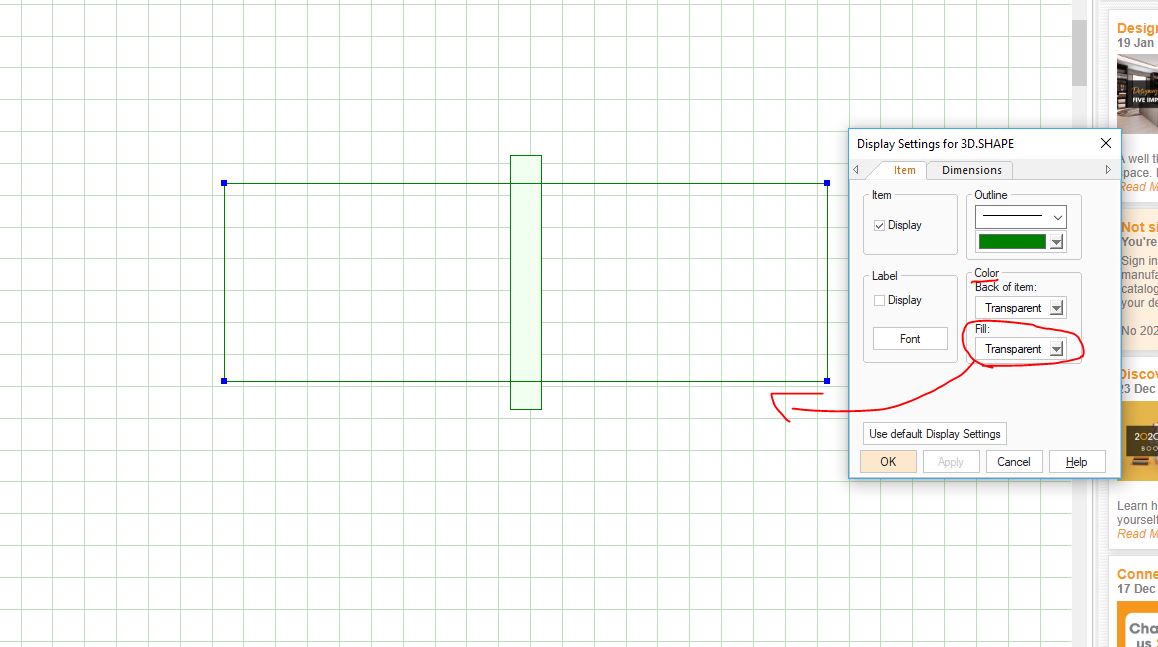
If you want to see the items on top or below the 3D shape then I would suggest the following as a work around. When placing the 3D shape on the floor plan, right click on it and go to its display settings. Once there, go in the ‘Color’ box and set the items fill to ‘transparent’. Now when looking at the 3D shape, you will see the lines that create the shape and you will be able to see the items inside it.
See the image below for reference.
Hope this helps!
Kris