
-
-
June 5, 2020 at 2:54 pm #285334
 Ariana ThompsonParticipant
Hey gang!
Anyone know what Error 370 is?
I was putting, literally the FINAL textures on a big job, and I tried to save and it gave me the whole “not enough memory” tango – so fine. I close 2020 and reopen it to clear the cache and I’ve lost the last change I made since I last hit save. No worries, right?
Only it created a “major error” thing, and now when I try and open the file it says it’s “corrupted or empty”. My bak file is gone. Just doesn’t exist anymore.
I REALLY do not want to recreate this entire thing from scratch. Any ideas??
Many thanks,
Ariana
-
June 5, 2020 at 3:44 pm #285336
Kristopher Papaleo
ParticipantHi Ariana,
When the error message “Error #370” is shown it normally means that the file had been corrupted. Since the BAK file is missing, I would suggest to try and open the Recovery file and see if it is recoverable and usable.
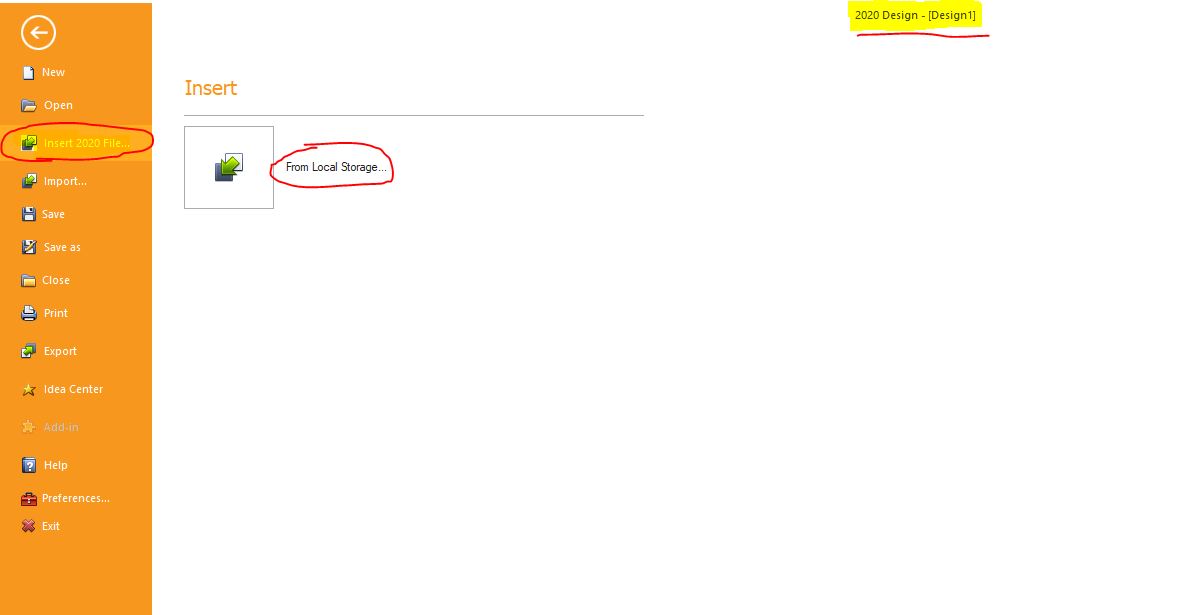
If the recovery file is not usable, then I would suggest to try and insert the file into an empty floor plan and see if it appears. See attached image below.
Are you using the Version 11 or the Version 12?
Regards,
Kris
Attachments:
-
June 5, 2020 at 3:51 pm #285346Ariana ThompsonParticipant
thank you so much Kris!
I tried to use the Insert – it said “attempted to access Propertywindow past its end”
I don’t know what you mean by “Recovery file”…?
Ariana
-
June 5, 2020 at 4:34 pm #285349Participant
Hi Ariana,
I believe that error message appears if the file being inserted is sitting at 0kb – meaning the file is completely empty. Unfortunately I don’t believe there would be any way of recovering this file.
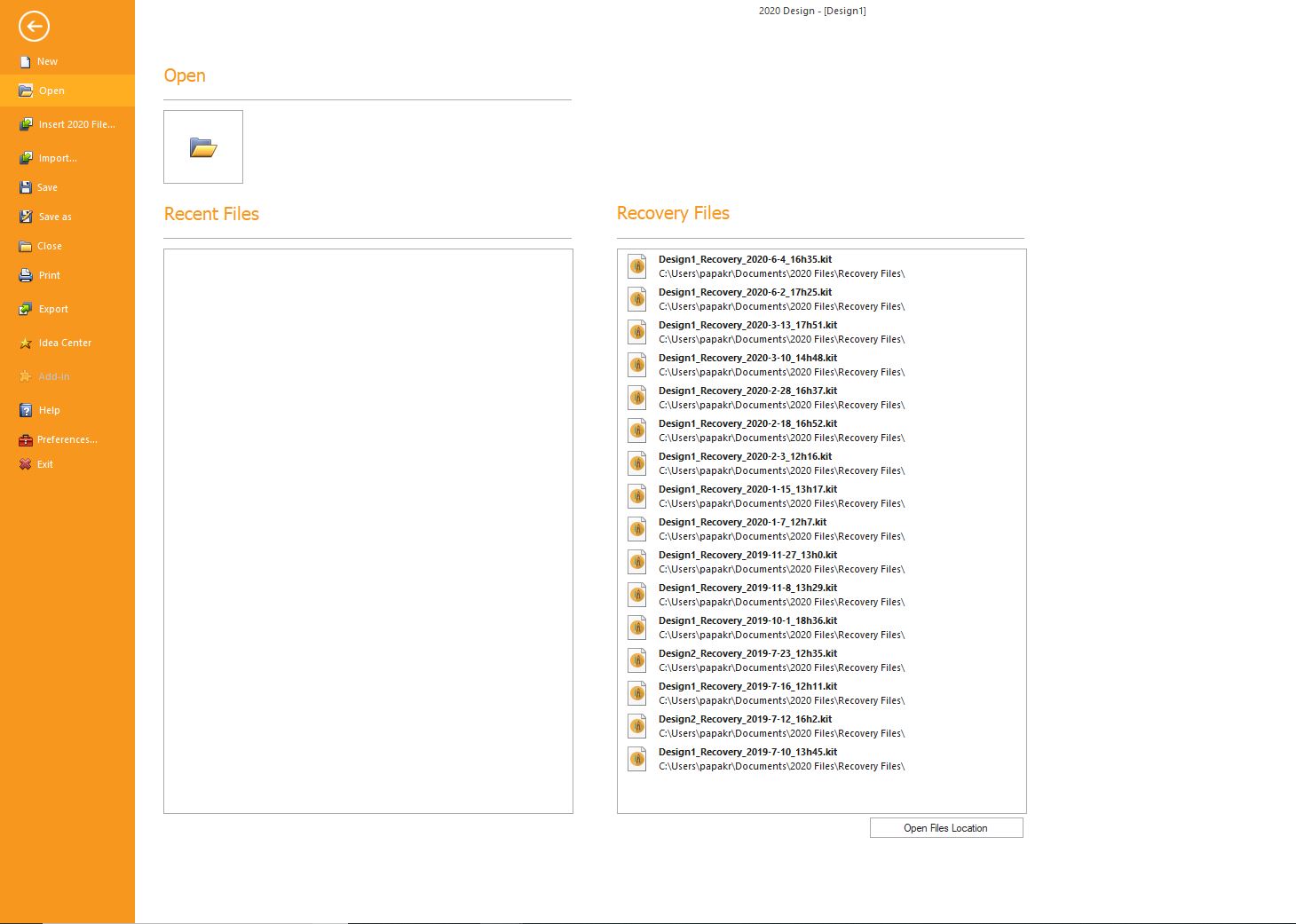
A while back we had released the version 11.11.3. In that version we had added a File Recovery System. Basically if there was a crash in the program, it would then create a recovery file – essentially another backup of your file. See attached file.
To help you in the future, I would suggest to update to a more recent version of the program such as the Version 12. The version 12 is a 64-bit version which offers a ton more memory and is a lot stronger than the version 11.
Regards,
Kris
Attachments:
-
June 5, 2020 at 4:42 pm #285359Ariana ThompsonParticipant
Ah… I am running 11.10.1.1
There are many reasons why V12 doesn’t hold a lot of appeal for us right now. Hoping the features of it’s next update will make it a little more workable for us. Honestly this is the first time this has happened to me in years – so it’s my own fault for not having a duplicate file – which I usually have.
Can a person still update to 11.11.3?
Well, I’m off to reconstruct this design! sigh-
Many thanks for all your help!
Ariana
-
June 5, 2020 at 4:51 pm #285361Participant
Hi Ariana,
I wouldn’t suggest to update to the version 11.11.3 as there were some issues in it. Instead I would suggest to update to the latest version of 11 which is the version 11.12.1.35.
Click HERE to download a copy of the version 11.12.1.35. Once you download the version, you can contact our support department for assistance in the installation! You can reach us by calling 1.866.697.2020.
Regards,
Kris
-
June 5, 2020 at 4:52 pm #285362Ariana ThompsonParticipant
Awesome – thanks Kris!
-

You must be logged in to reply to this topic.