
-
-
August 29, 2019 at 3:11 pm #246980
 Ariana ThompsonParticipant
Hey gang!
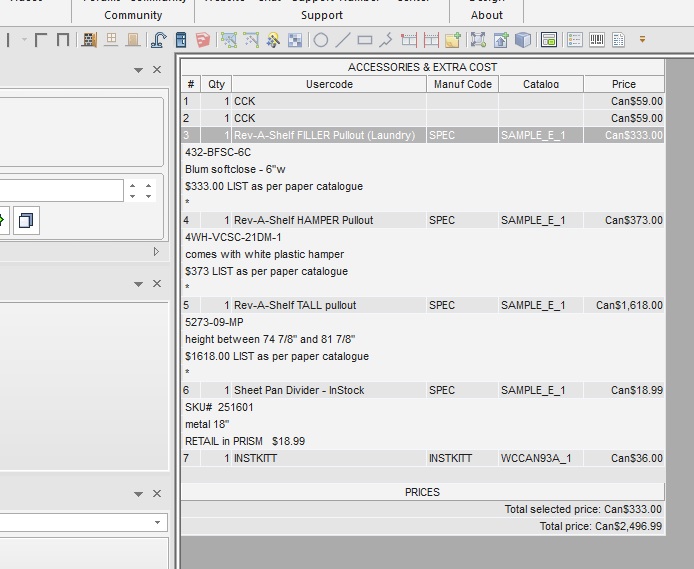
I know I can easily copy/paste an item from the Floorplan of one kit file into a new or another existing kit file’s floorplan – but is it possible to click on something in the ACCESSORIES – Extra Cost screen and copy/paste to another design?
I have some customized stuff in there I REALLY don’t want to have to retype!
Cheers,
Ariana
Attachments:
-
August 29, 2019 at 3:57 pm #246991
Kristopher Papaleo
ParticipantHi Ariana,
It is possible to copy an item from the Accessories tab. The only issue with this however is that you can only copy/paste one Non-Floor Plan item at a time.
Hope this helps!
Kris
-
August 30, 2019 at 1:28 pm #247021Ariana ThompsonParticipant
Hi Kristopher,
How does one do that? When I right-click on an item in Accessories, “Copy” does not come up on the list of options.
Ariana
-
August 30, 2019 at 2:15 pm #247034Participant
Hi Ariana,
To be able to copy/paste from within the program you can select your item from the Accessories and Extra costs tab and then use the Copy button located on the quick access toolbar. Check out the attached file to see where the copy/paste is! I’ve highlighted two icons, the first one is the copy and the second is the paste. Hope this helps!
Kris
-
August 30, 2019 at 2:22 pm #247045Ariana ThompsonParticipant
thanks so much!
I actually never use those! Now I will!
Ariana
-

You must be logged in to reply to this topic.