
-
-
November 2, 2018 at 9:35 am #213942
Marc-Andre Theriault
ParticipantWhy it’s so complicated to updates catalog?
I just saw your advertising about the update in decoration, went everywhere I could imagine, tried every way to find it…could not even find it.
I want to get this update so where and how I can do it.
it’s very frustrating to have to waste my time to go on the forum to ask for a service we already pay for and should be so much more easy.
logging in to every pages you go very annoying, if I could fine a easier and as complete program I would change in a heartbeat
-
November 2, 2018 at 9:58 am #213944
 2020Participant
Hi there,
The 2020 Decorative Items is available from 2020 Cloud, directly in 2020 Design. No download is required. All you need to do is Sign in and browse for product. You can use the credentials you entered to sign in to this forum when you posted. Then simply select your manufacturer, the catalog you wish to browse – or you can leave it with ‘All’ selected and use the text filter to narrow the results.
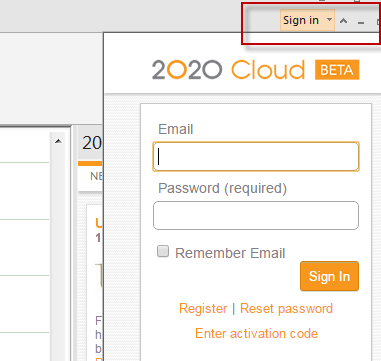 You might find some useful info in our 2020 Cloud FAQ, but to get started here’s screenshots which will get you going.
If you use US manufacturers, be sure to set your Market Region to US in your 2020 Cloud Account to see all the correct catalogs. You’ll need to sign out and back in to 2020 Cloud to see any changes.
I’ll move this post to the 2020 Design forum for better visibility.Best,
2020 Admin
-
November 2, 2018 at 10:05 am #213955Participant
Thanks,
I see the update now
-
November 2, 2018 at 10:16 am #213957Participant
I do have another question,
can we turn on the light in cloud light fixture. we use to be able to adjust and use the lights.
If so how?
-
November 2, 2018 at 2:25 pm #2140292020Participant
Hi,
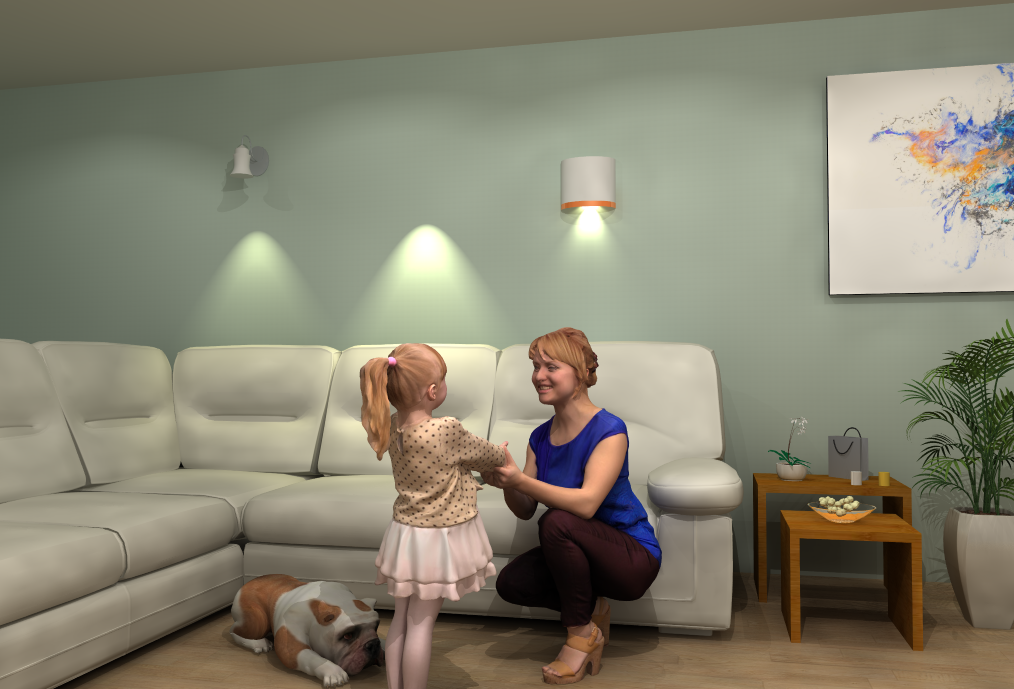
That feature is not yet supported but it will be part of a future release. Currently, all light sources are still available in the traditional manner. However it is possible to add a traditional light with the desired light effects, render the fixture geometry invisible and place a light fixture from 2020 Cloud in the same spot. The dialog below shows how to make a fixture invisible and the image show the different stages as applied to a wall sconce.
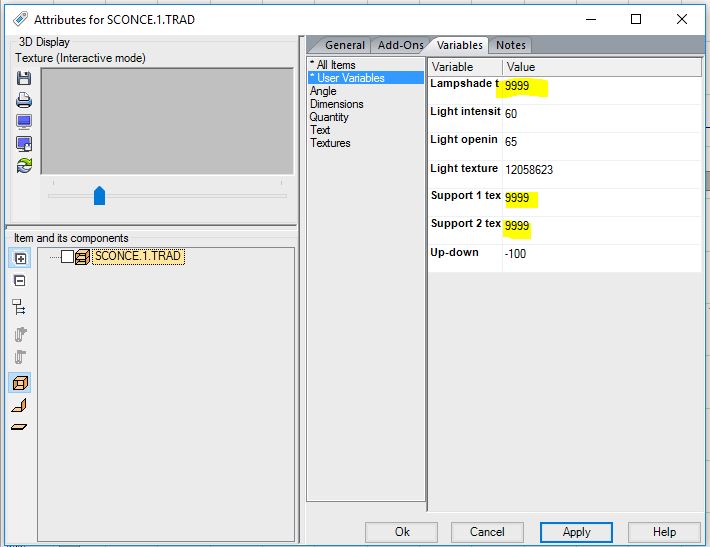
The leftmost is a traditional light, the centre has the geometry hidden and the rightmost light is from 2020 Cloud placed over a copy of the centre light. It’s a bit of a rough example, but with some tweaking you can probably do a better job than me!
Cheers,
2020 Admin
-

You must be logged in to reply to this topic.