
-
-
July 10, 2020 at 11:22 am #289062
Mark McDermott
ParticipantI was wondering if there was any way I could change the the order in which items are displayed on the item list. I have messed around with just about all the settings but I haven’t found a way to let me arrange the item list in the order that I would like. We like to specifically order cabinets in a certain way to make installations easier and if there was a way to do it in the system it would help us immensely. An example of what I am looking for is putting the wall cabinets first on the list going clockwise, then the base, and then the fillers and accessories. Please let me know if there is a way to do this.
-
July 10, 2020 at 1:38 pm #289089
Kristopher Papaleo
ParticipantHi Mark,
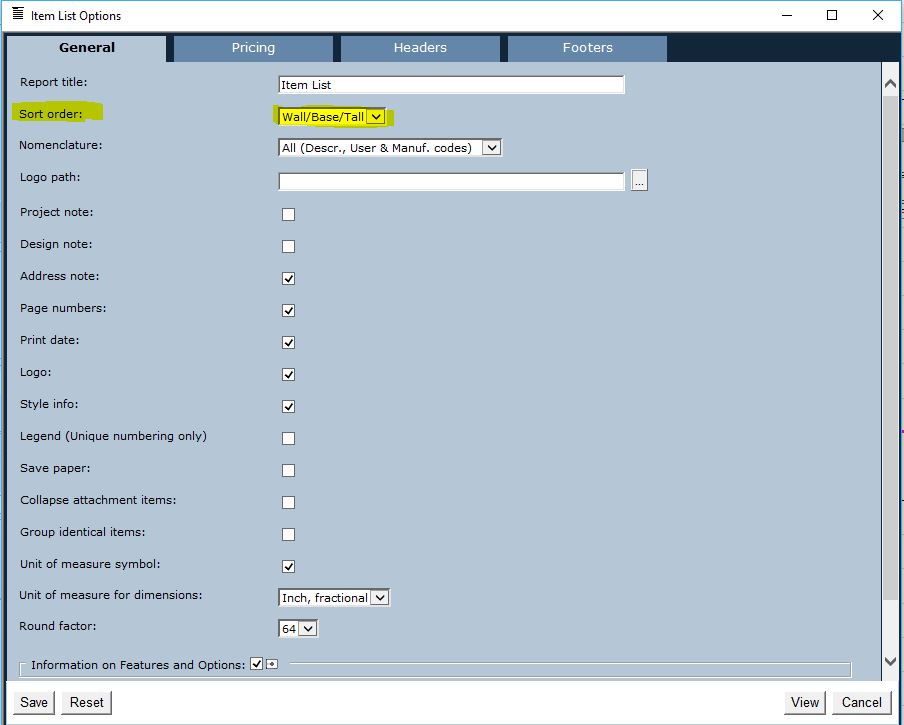
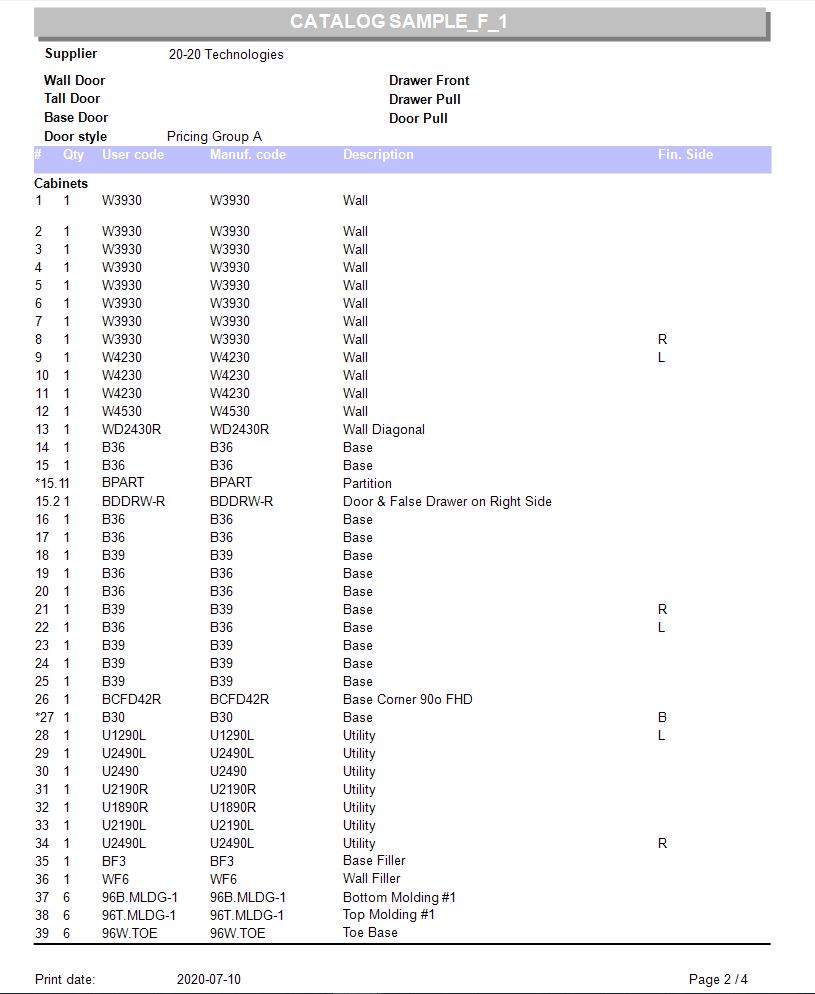
With the Item List, you would not be able to achieve it going in a clockwise fashion. The best alternative I have found is setting the report to Wall/Base/Tall.
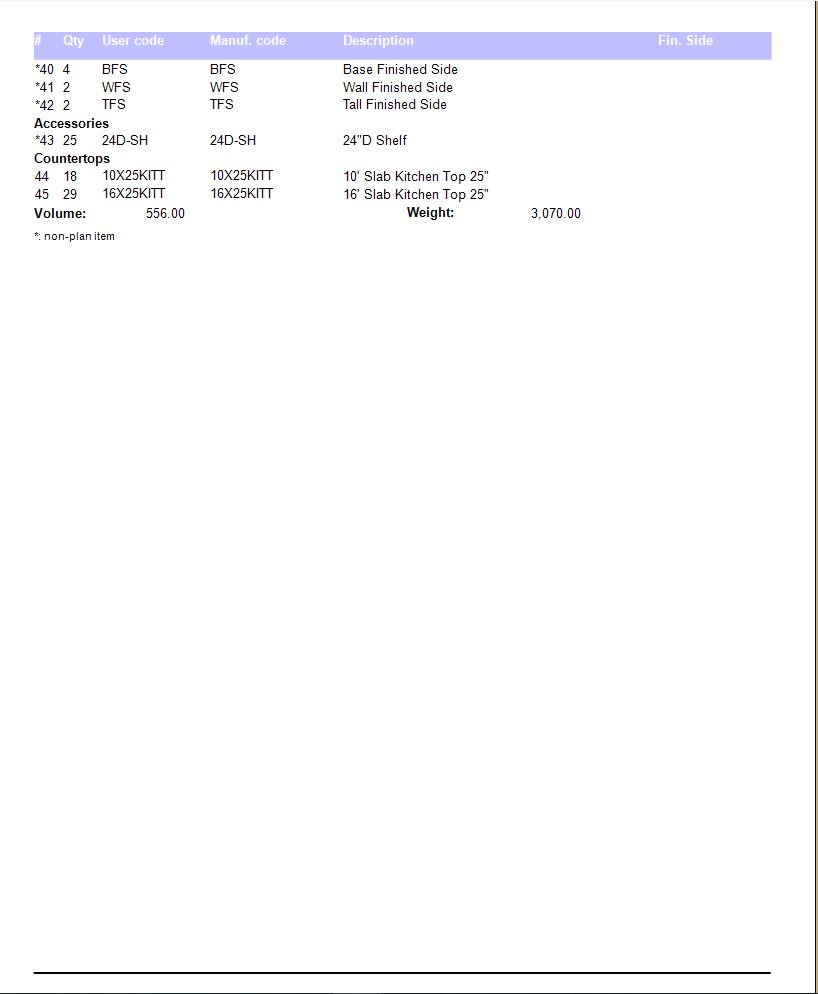
If the report is set as stated above, then the report will appear with all the wall units first, base units second, tall units third and then fillers, moldings, accessories and then counter tops.
See attached files for an example of the Report.
Regards,
Kris
Attachments:
-
July 10, 2020 at 1:47 pm #289117Participant
Yea I was playing around with this and it is probably my best option. A follow up question would be how does the system decide the order of the items on that list and is there a way that I can put the cabinets in the program so that the list may come out in the order the I desire.
-
July 10, 2020 at 4:03 pm #289137Participant
Hi Mark,
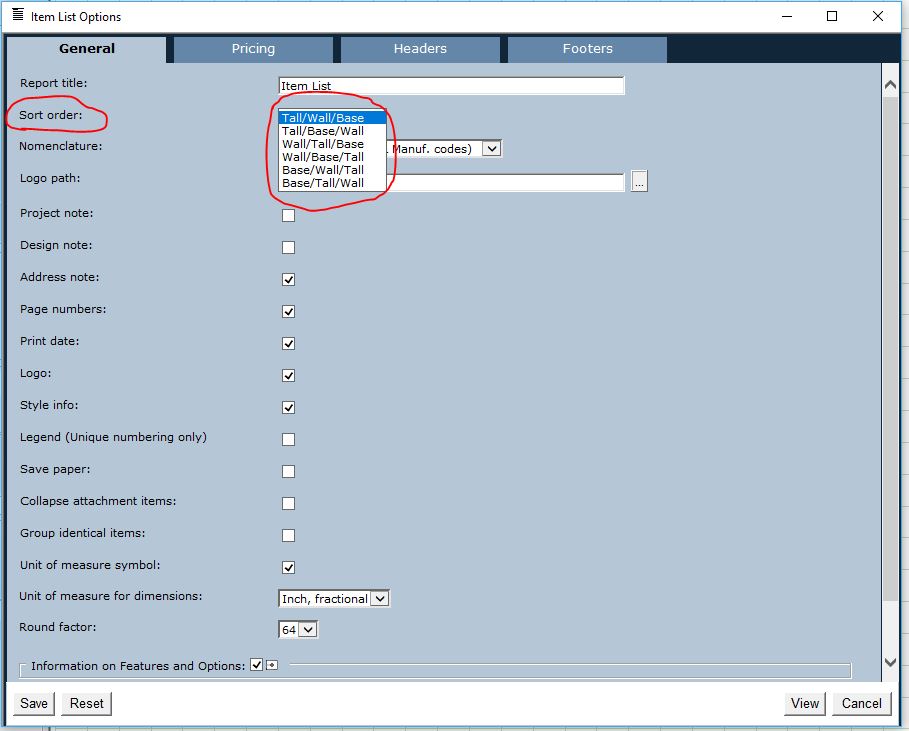
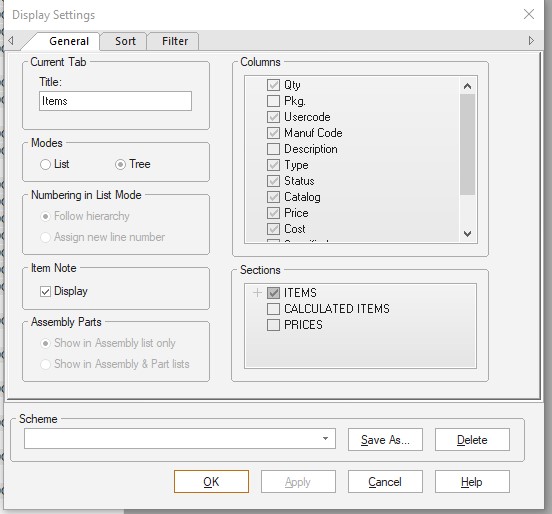
Item list, as all the other reports, are from a set template. The only way to change the Item List is by changing the Sort Order from the Item List Option – see image below.
Regards,
Kris
Attachments:
-
July 10, 2020 at 4:17 pm #289147Participant
No I understand that, I was really just asking how the system decided which items goes first. Like for instance the wall cabinets, how does the system pick the order in which the wall cabinets appear. Is it in the order which the cabinets are put in, alphabetical, or is it something random.
-
July 10, 2020 at 4:36 pm #289149Participant
Hi Mark,
Sorry about that, I misunderstood. So i did a little testing with a few units and have found that it doesn’t matter which item was on the floor plan first.
If you have 4 walls (square) The item list will begin with the bottom right corner of the square and move in a clockwise motion.
If you have an L (Left wall with a top wall) It will start with the first unit on the top wall and then continue in a clockwise motion.
If you have a 3 wall design (Top wall, Right wall, Bottom wall) It will start with the first unit in the upper left hand corner and continue clockwise.
Hope this helps!
Regards,
Kris
-
July 10, 2020 at 7:09 pm #289150Participant
That’s perfect I’m gonna mess around with this a little bit and see what I can do but thank you very much for all your work.
-
July 13, 2020 at 8:00 pm #289349
 Mike LangensiepenPilot Pro
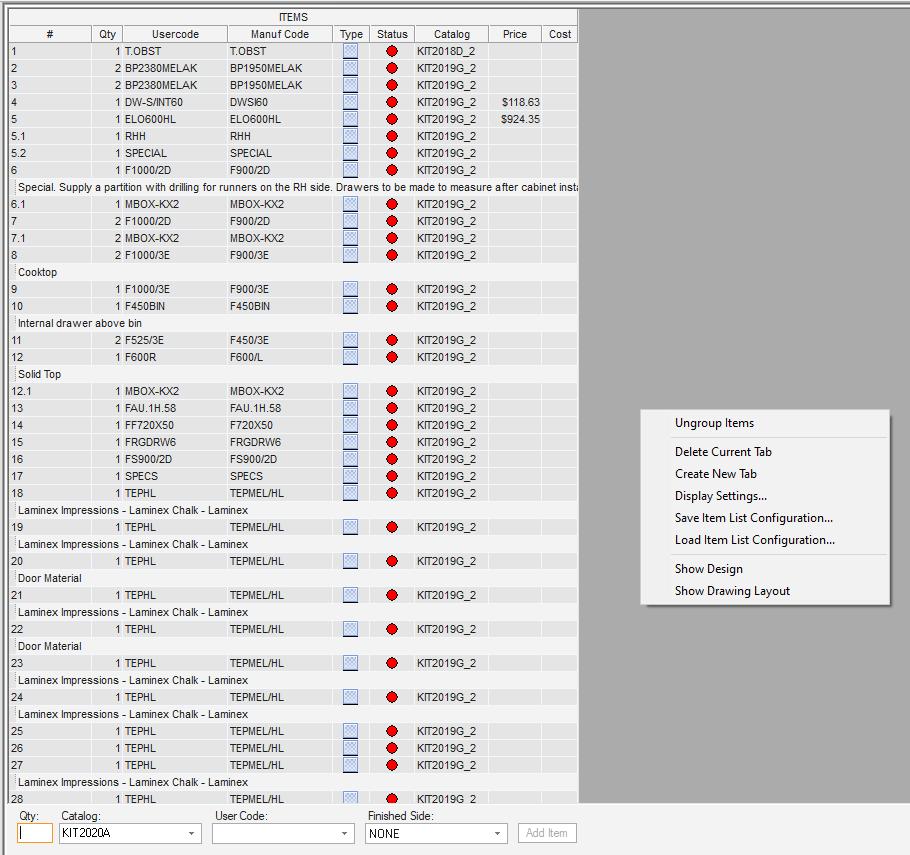
Not sure if I am missing something in the above but why aren’t you using the right click, show item list option and then File, Export to CSV (then into Excel where you can do anything you want) or applying your own sort/filter functions in the display options?
You can also build display schemes to display what you want e.g. We group (Base and Tall) and (Wall and Tall) elevations together in our installer sheets as we find it helps them a lot.
-
July 13, 2020 at 8:13 pm #289368Mike LangensiepenPilot Pro
OK, the export to CSV doesn’t carry the legend/cabinet number over so not helpful.
-
July 25, 2020 at 12:52 am #291036
Curt Hayos
ParticipantYes, you have to export to csv then open in excel. And correct, there is no report in the whole program that will print in legend order, nor can you reorder legend which is why it isn’t very useful either. I’ve asked for legend and report improvements for a few years but it’s not a feature that’s being developed. It would save us may hours every year on the back end.
Curt
-



You must be logged in to reply to this topic.