
-
-
November 23, 2019 at 2:11 pm #260423
Charles Seyferth
ParticipantOne of the printers in our office (Kyocera 3212i KX) can print letter, legal, and ledger (8.5″ x 11″, 8.5″ x 14″, 11″ x 17″). When I print to 3/8″ scale in letter and legal, everything comes out fine. When printing to 3/8″ scale in ledger, it prints closer to 1/2″ scale. Is there some setting in either 2020 or my printer to correct this? I suppose that I could figure out what percentage to scale it down, but then I would have to change it back and forth depending on paper size.
-
November 24, 2019 at 7:18 pm #260449
 Mike LangensiepenPilot Pro
Hi Charles,
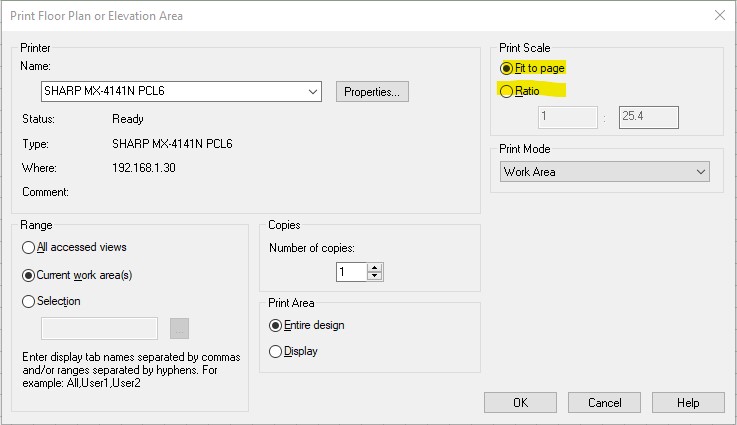
There is a Print Scale option in the print dialogue that might be what you need.
Attachments:
-
November 25, 2019 at 9:20 am #260466Participant
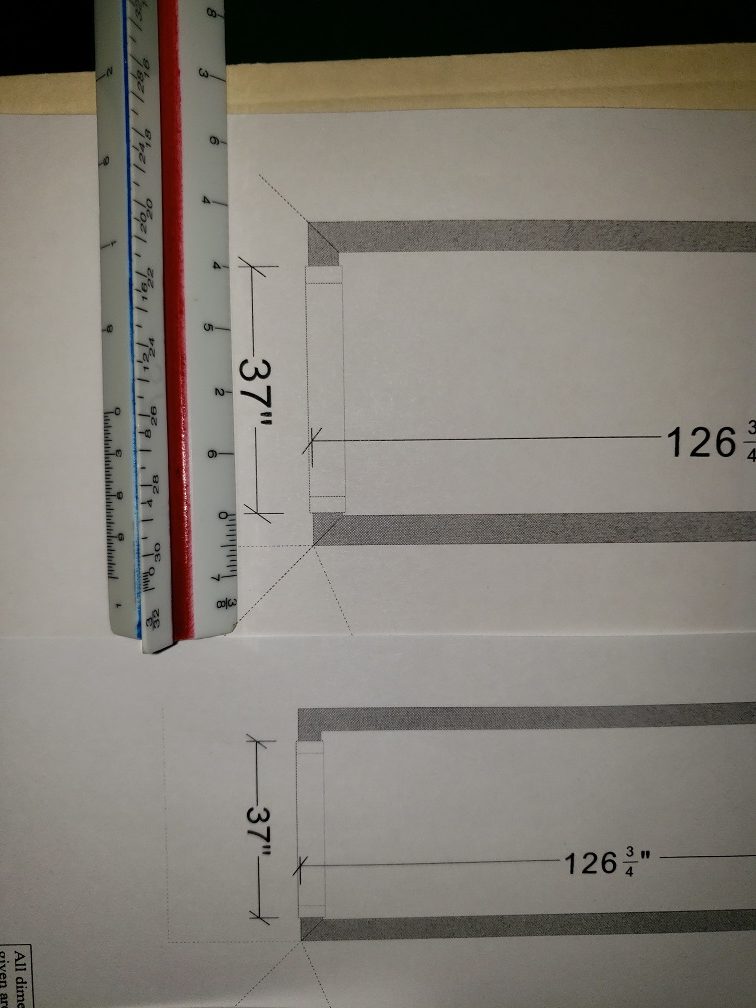
That’s where I’m setting the 3/8″ scale. In the attached image, both printouts are set to 3/8″ scale in the area that you highlighted. The page on the right is printed on letter/legal and is the correct scale. The page on the left is printed on ledger, and is not the correct scale.
Attachments:
-
November 25, 2019 at 9:46 am #260484
 Neil WilsonParticipant
Hi Charles,
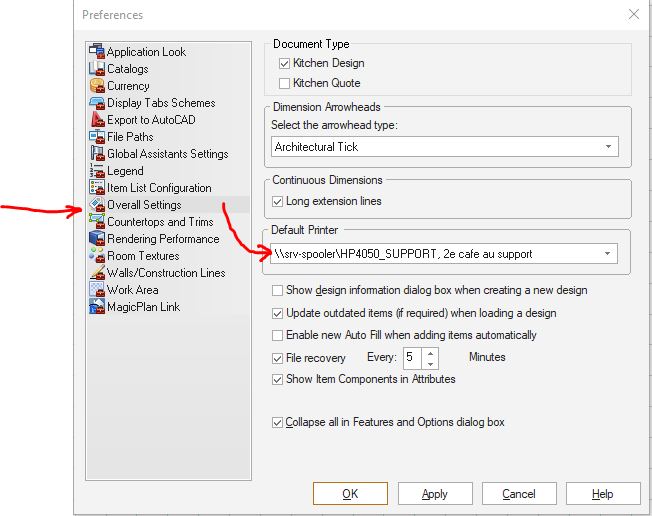
Issues like that are usually related to the driver for your printer. Make sure you are running the latest drivers and that in the 2020 preferences you have your printer selected instead of having it set to Windows Default (see the attached image).
Hope that helps.
Neil
Attachments:
-

You must be logged in to reply to this topic.