
-
-
September 14, 2017 at 11:10 am #148026
Don Hill
ParticipantI would like for centerlines to be shown for appliances and sketchup items in the “birds-eye” view (floor plan?). I have tried to do it in the overall display settings as well as the individual display settings for the object. It is marked to show, but it doesn’t. They seem to show up in the elevations just fine. Am I doing something wrong?
-
September 14, 2017 at 11:23 am #148029
 Danny SteigerPilot Pro
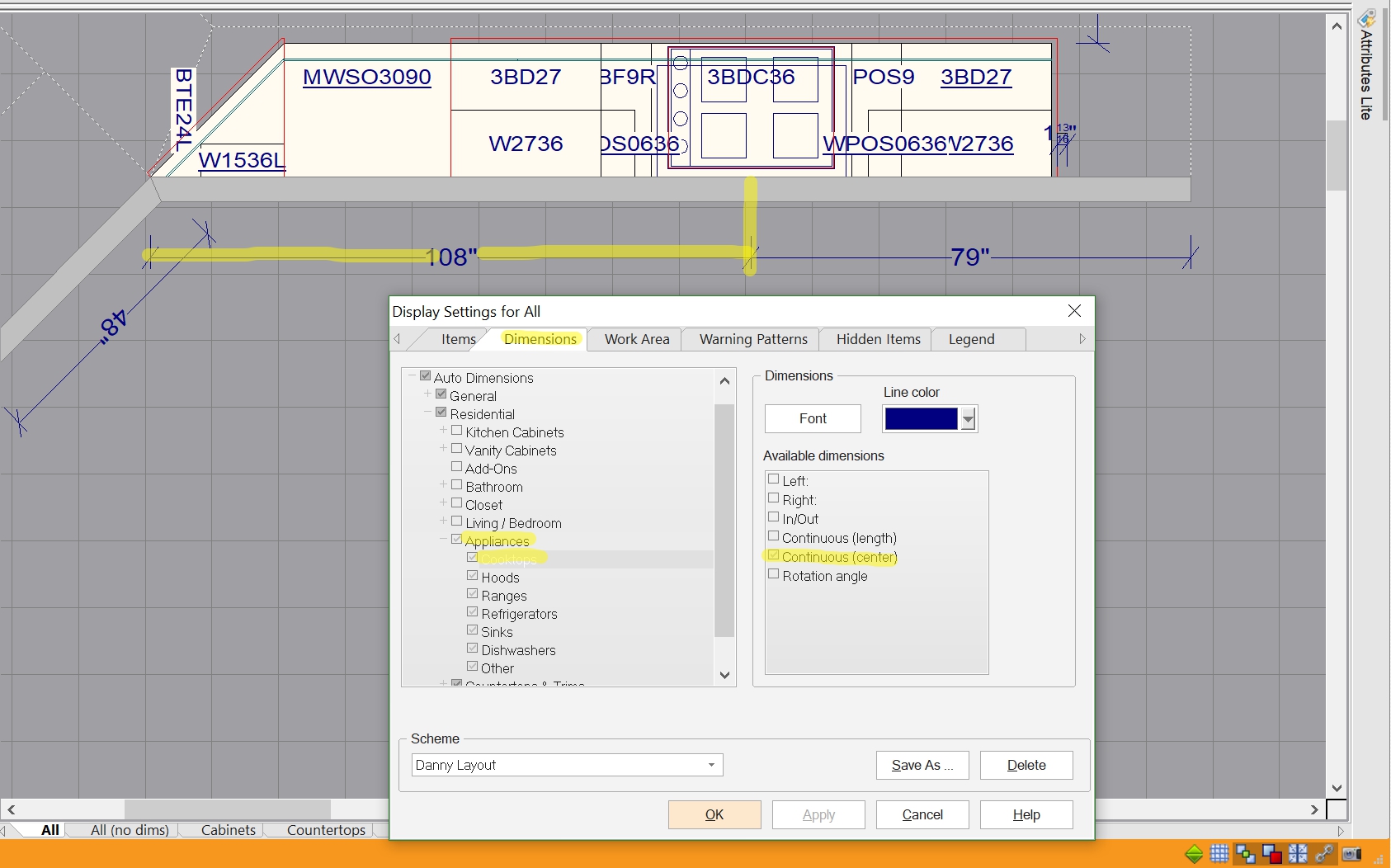
Appliances should be easy to do – double click in the floor plan and follow the indications in the picture below.
Sketchup items would be a lot more tricky, and to my knowledge there is no way, but I may be mistaken on that. One work around, though, would be to draw a line in 20/20 to coincide with the center of the sketchup item and then manually dimension out to the faux center.
Hope that helps a little!
Attachments:
-
September 14, 2017 at 2:41 pm #148106Participant
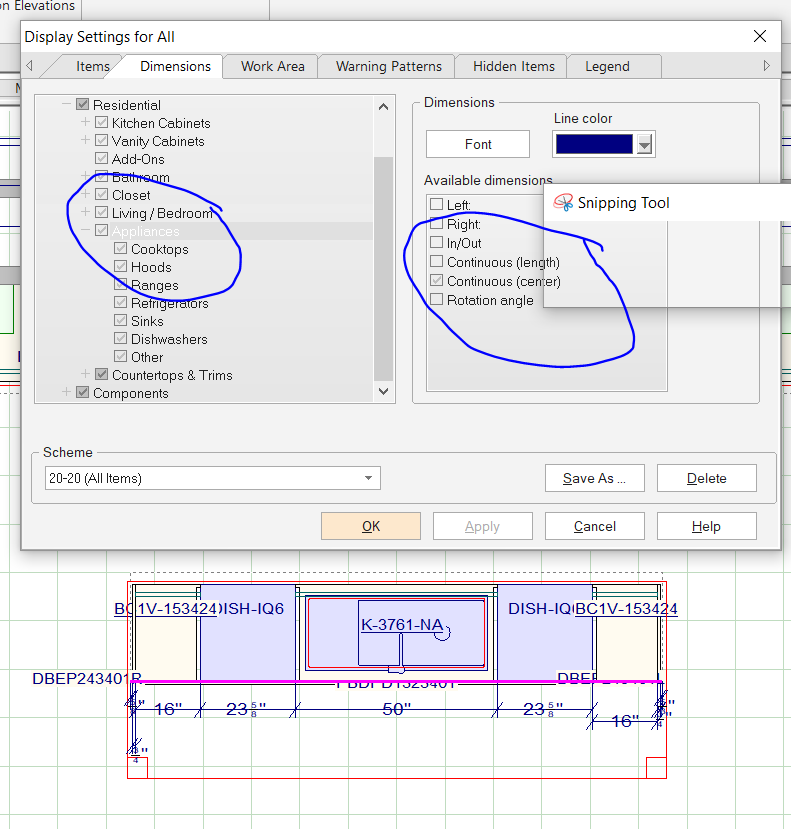
Thanks for the help. As you can see in the attachment, I have the appropriate boxes checked for the appliances. Each individual appliance is also marked to show center. Now this is an island so maybe that makes a difference, but when I have every other auto dimension turned off except for “residential” in the display settings, they don’t show. Apparently they have something to do with continuous wall lengths and centers. Now, I am having issues with the dimensions that I add in an elevation (using line to line) staying after I close the file and reopen it, or even after I just close the elevation and reopen it. Why wouldn’t they stay? Sometimes I think I expect a little too much of this program. I am no expert for sure. I have been mostly teaching myself with the help of tutorials for a few months, but each time I think, Ok, I got this… something else just makes me want to throw it out the window. Honestly, I am in the process of looking into another program to see if it is a little more user friendly. Your suggestion for finding the faux center for sketchup items worked great, by the way. Thank you again. Sorry for unloading a bit on you! 🙂
Attachments:
-
September 15, 2017 at 9:41 am #148363
 Neil WilsonParticipant
Hi Don,
Your settings seem to be correct so the issue is either something with the design itself or maybe something in the scheme. Try doing a copy/paste of the design to a new file to see if that resolves the issue. If not give us a call at 1-866-697-2020 and have one of our techs take a look at your scheme.
Neil
-

You must be logged in to reply to this topic.