
-
-
October 15, 2018 at 6:50 am #208551
Anastasios Asteriou
ParticipantJust want to find out, how do you change the colour of the tambour door, because it goes to a the tall/wall/floor colour but there is no place to change it back
-
October 15, 2018 at 5:17 pm #209085
 Neil WilsonParticipant
Hi Anastasios,
you can change cabinet textures in a number of ways. You can use styles and pricing, global attributes or go directly into the attributes/variables of the cabinet itself. I’m not sure which one will serve you best but one of them should work for you. 🙂
Neil
-
October 16, 2018 at 2:43 am #209086Participant
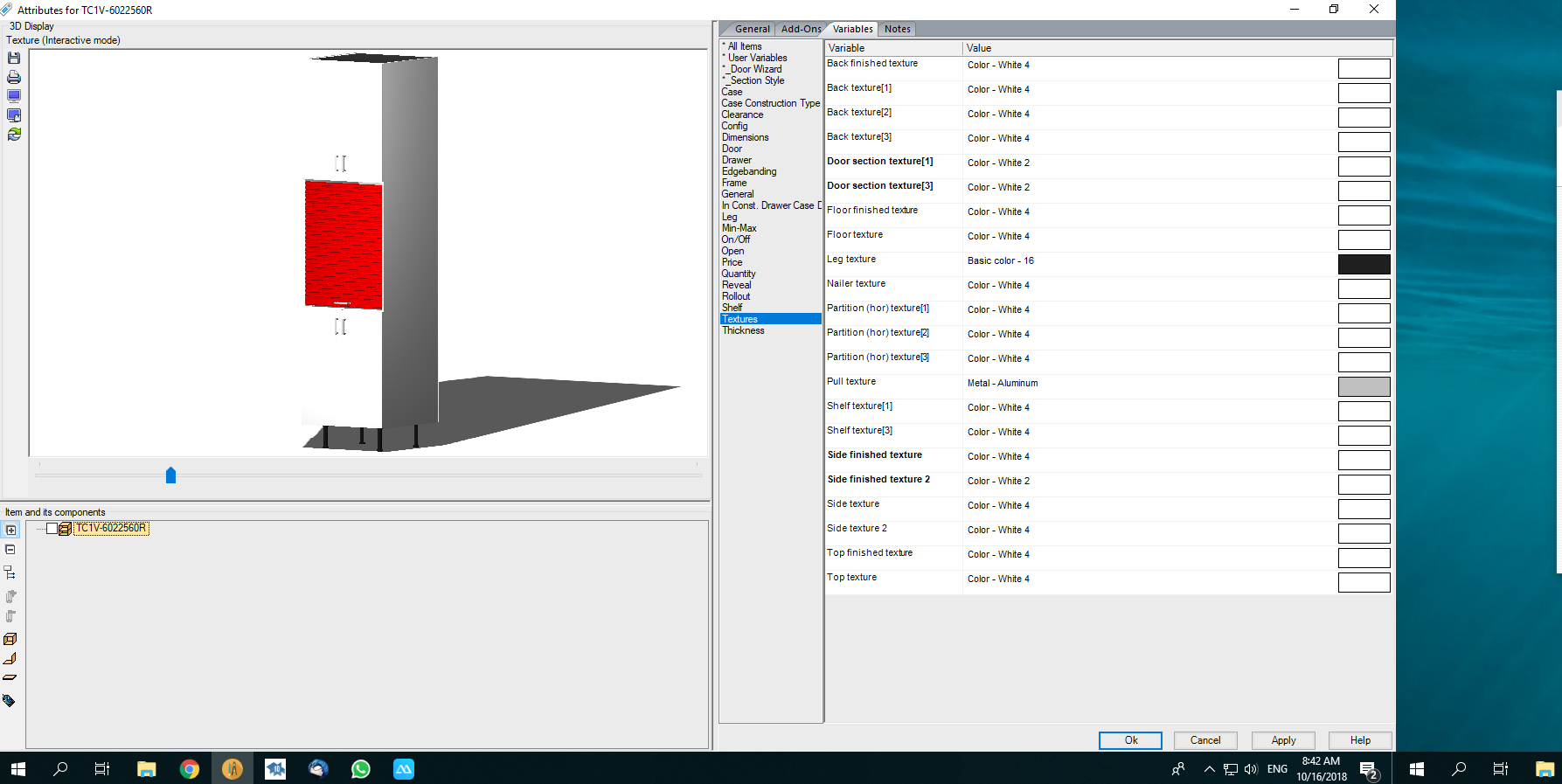
Please have a look at the attachment and you will see what i mean all textures show white or metallic but yet the Tambour stays Red
Attachments:
-
October 16, 2018 at 2:44 pm #209109Neil WilsonParticipant
That is pretty odd. It is likely an issue with the item in the catalog. I noticed that there is no texture entry for door section 2. 1 and 3 but not 2 and that is likely the issue. Which catalog did you get the cabinet from?
Neil
-
October 17, 2018 at 4:44 am #209117Participant
Hi Neil its from the DPLUSM01 catalog
-
October 17, 2018 at 12:18 pm #209236Neil WilsonParticipant
Hi Anastasios,
I’m not able to recreate the cabinet. It is most likely happening because of an issue with the Dplus catalog. The first thing I would try is see if you can create the cabinet using the DSNER_M catalog instead of the DPLUS_M. It’s a newer catalog and may respond better.
Also, if you could create a little step by step document on how you place\generate the custom cabinet and email it to residentialsupport@2020spaces.com to my attention I’ll be happy to investigate further.
Thanks
Neil
-

You must be logged in to reply to this topic.