
-
-
May 22, 2019 at 10:54 am #239088
 Ariana ThompsonParticipant
Hey gang!
I have two issues – one a problem that I need to solve, and one that’s just me trying to tweak!
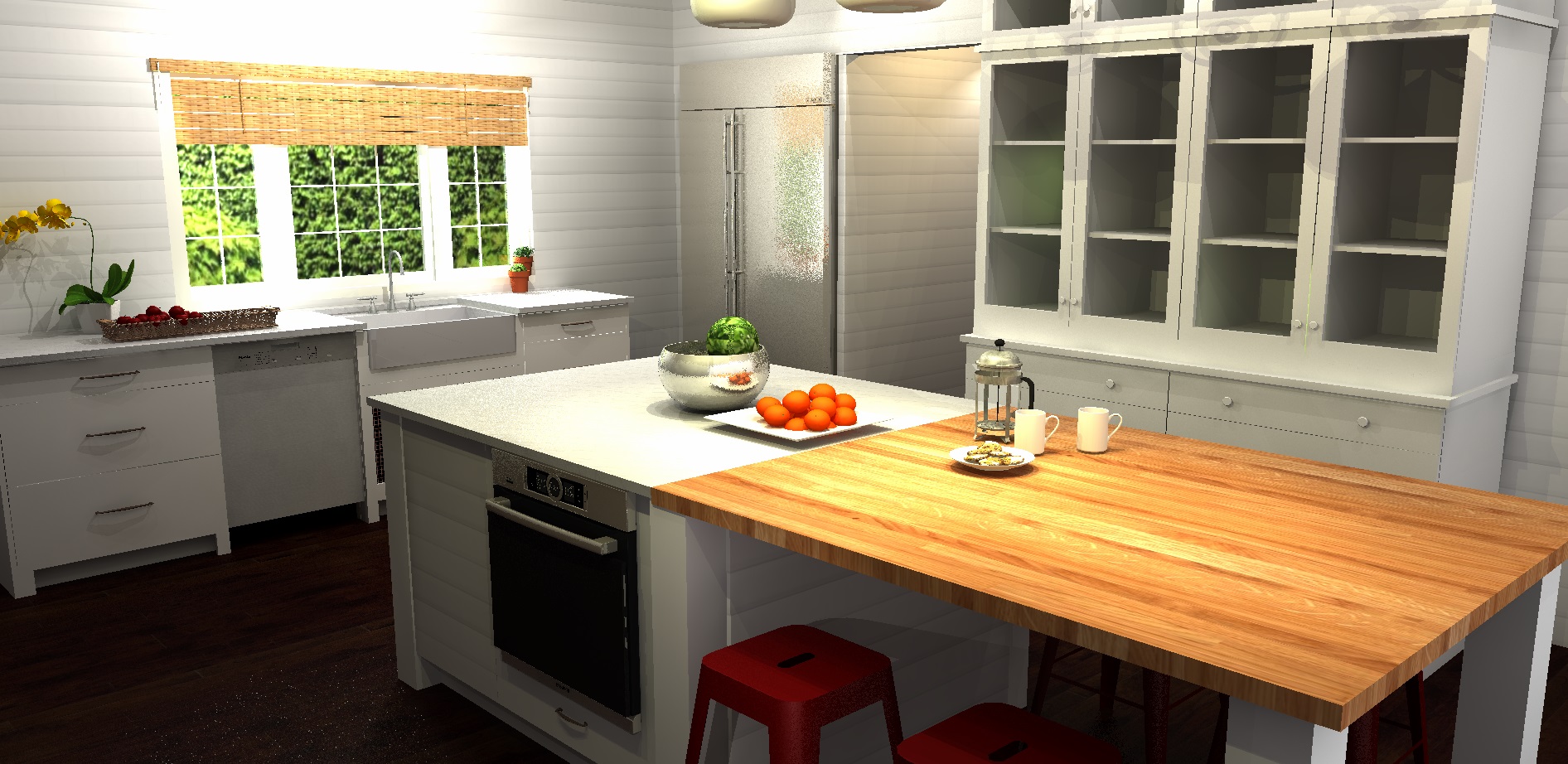
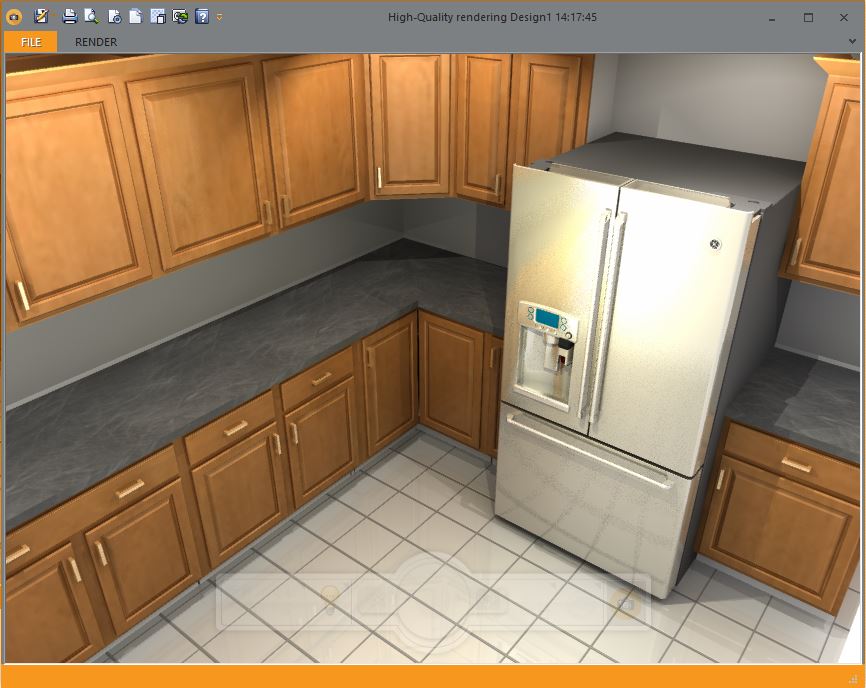
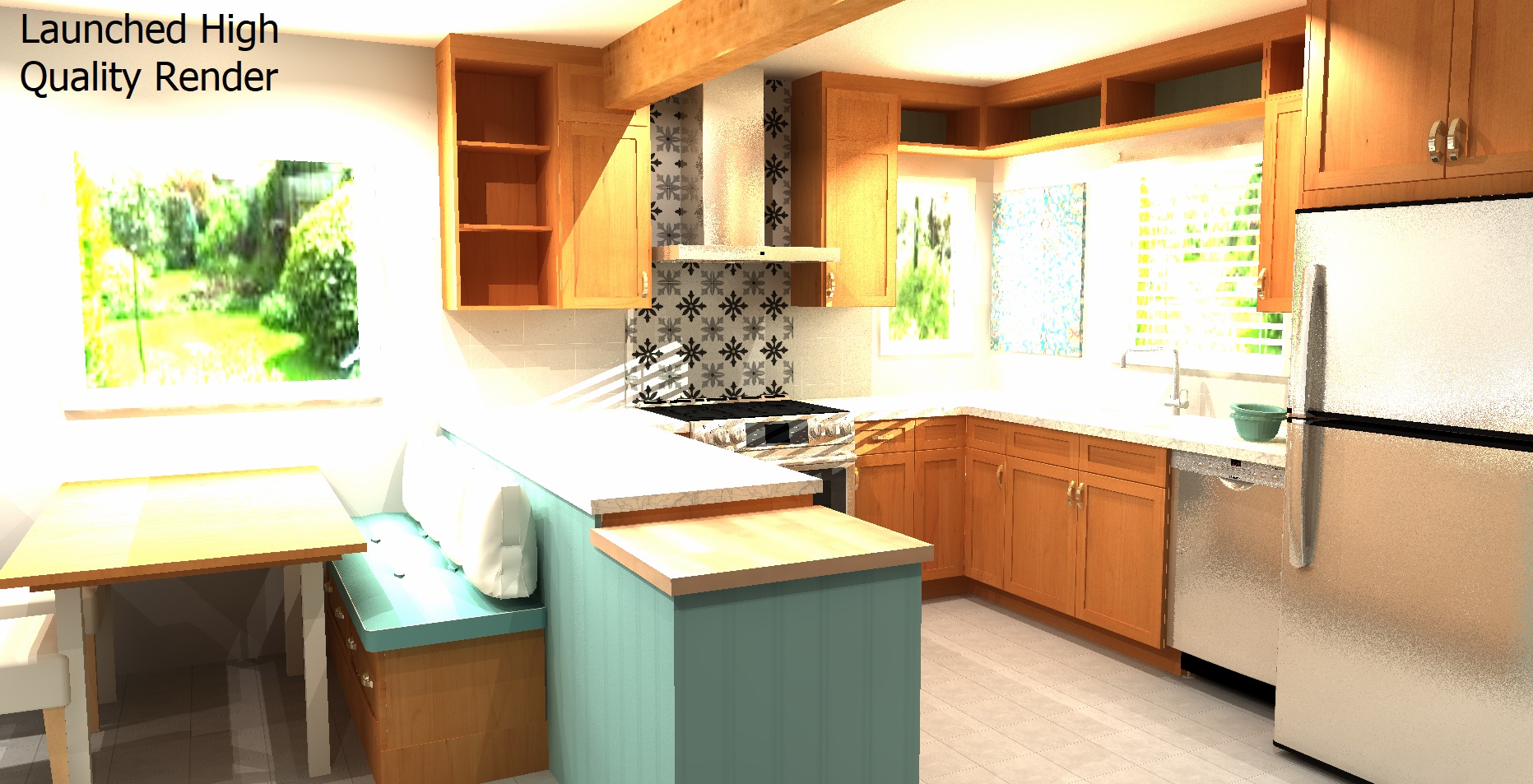
First – Render Sand. I have attached a “High Quality Rendering” – y’know – the one you have to “launch”? What’s with the sandiness? I always get this weird sand in 1) areas where there is a strong brightness fade – like stainless appliances – and 2) randomly on places on the floor! LOL! Leave your shoes at the door, Hal! You’re tracking bits and bytes in here!
Second, the rendering (which is an exercise I did based on a Houzz image to stretch myself regarding accessories, photo angles and layouts) is typical of my renderings in that the hardwood floor, ctops, view out the window, wiremesh inset in the sink cab, and wall texture are ALL custom textures. There is one small item from SketchUp (the coffeepress and plate of cookies) and all the rest of the accessories are from the Cloud – just modded.
This kit file is 39.5Mb. And I haven’t put ANYTHING in the sideboard cabinet.
Given that I make all my textures in MS Paint – how can I make the files smaller so that I can use lots of textures without creating a monster?
Cheers,
Ariana
Attachments:
-
May 22, 2019 at 2:32 pm #239130
 Neil WilsonParticipant
Hi Ariana,
Just curious, do you get the sandy stainless on your computer with the Geforce card or just on the one with the Quadro?
Neil
-
May 22, 2019 at 2:45 pm #239134Ariana ThompsonParticipant
On both Neil. Weird, eh?
-
May 22, 2019 at 8:11 pm #239143
 Mike LangensiepenPilot Pro
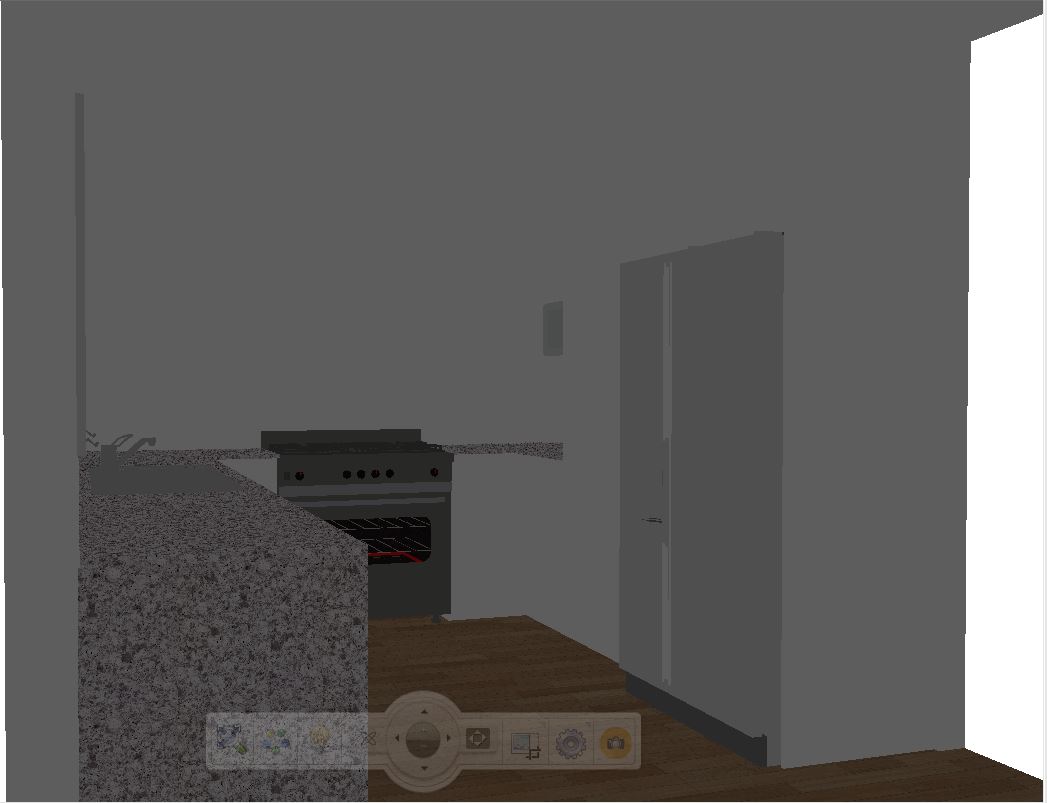
I see exactly the same result on Stainless Steel appliances. Have you tried the High Quality Render option and does it make it worse or better?
Standard (grainy Stainless Steel) and High Res pics attached
Attachments:
-
May 22, 2019 at 8:23 pm #239163Mike LangensiepenPilot Pro
Sorry – attached wrong pic for Standard
Attachments:
-
May 23, 2019 at 11:59 am #239235Ariana ThompsonParticipant
Hi Mike,
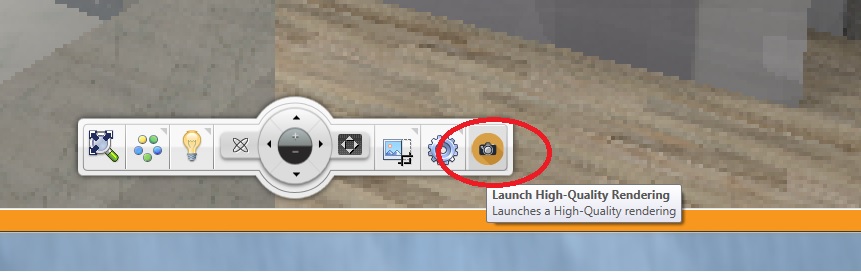
The pic I posted is the “High Quality Render” that you launch by clicking the camera icon on the render control bar. Is that what you mean?
Attachments:
-
May 23, 2019 at 2:33 pm #239320Neil WilsonParticipant
Hi Ariana,
The issue with stainless steel (and some reflections) is a “known” issue that they are currently working to resolve.
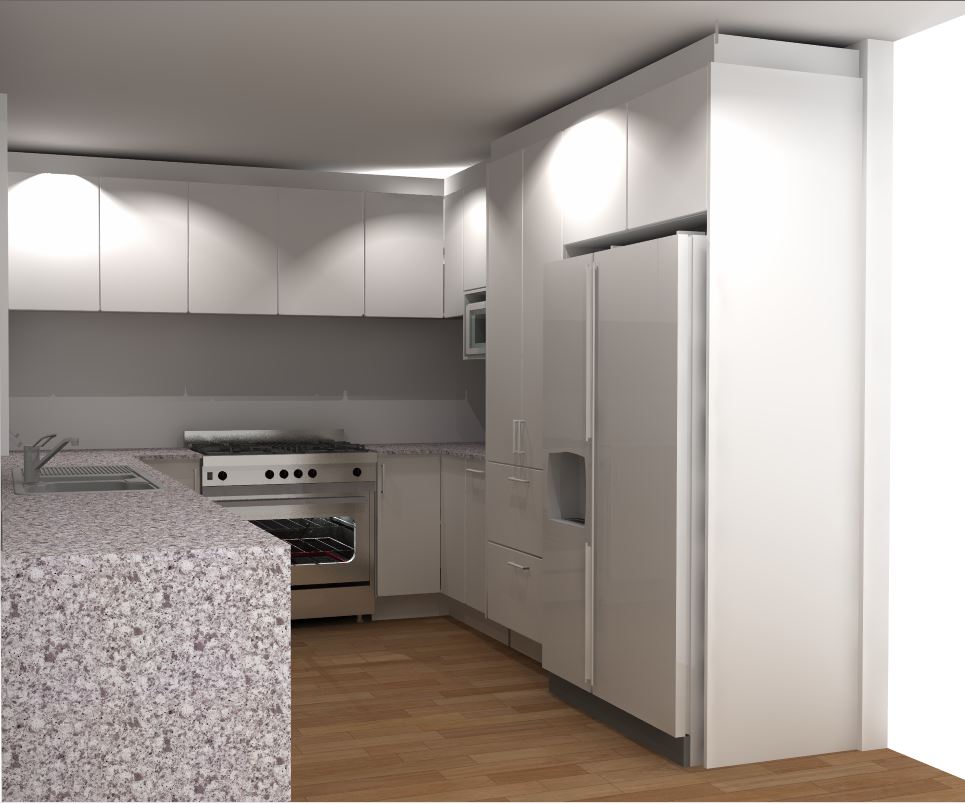
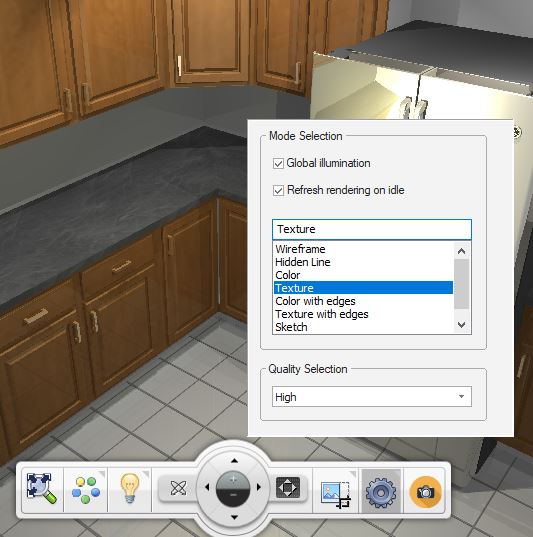
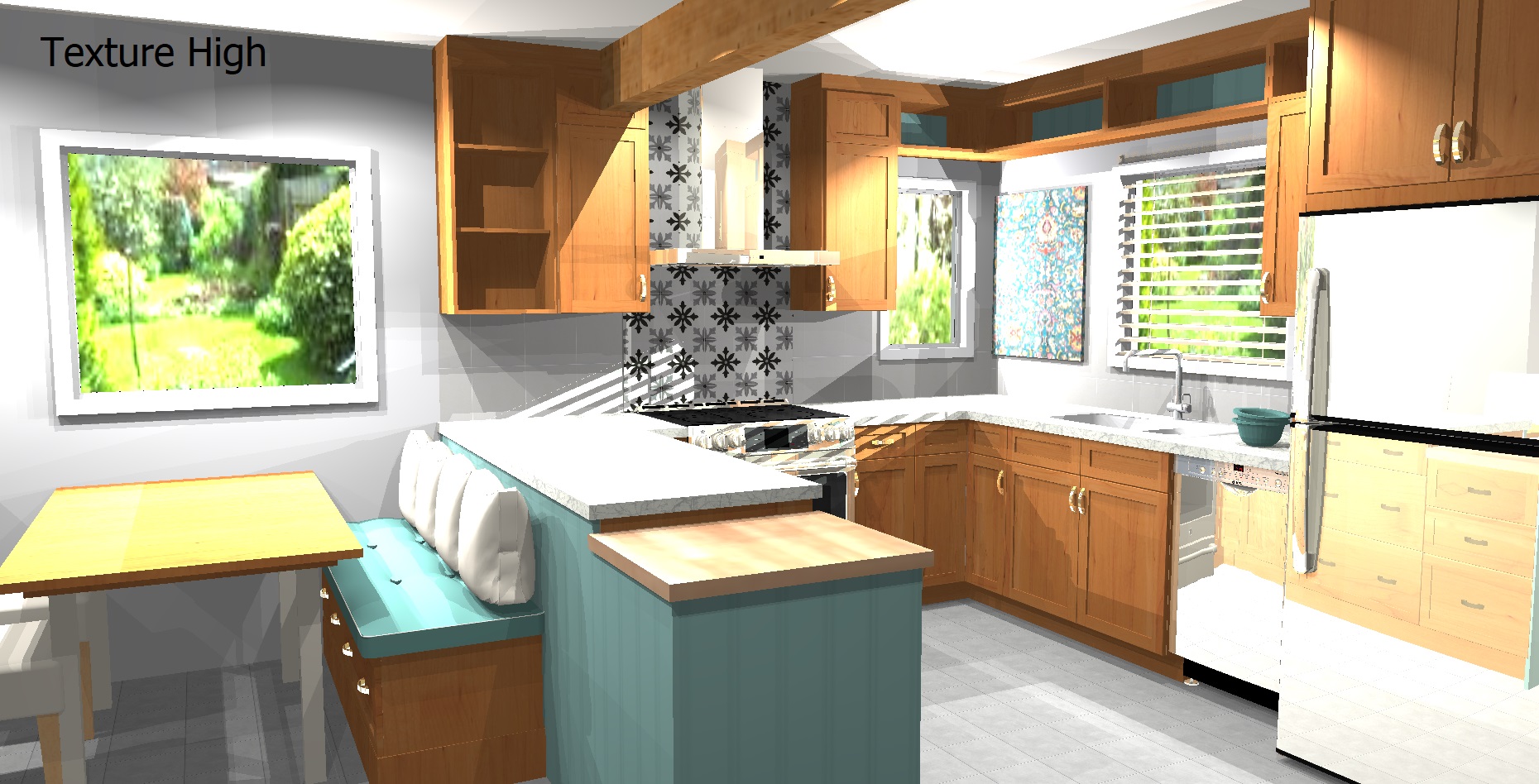
I played with it a bit and found some weird stuff. I got the best results out of stainless from the standard rendering set at High. It turned out even better than the High Definition render at high. Though the lighting and detail was better in the Hi Def render.
The attached files will hopefully show you what I mean. Before I set the renders to High I was getting the sand effect you got.
I’m going to push the case back to the top of the pile and we’ll do our best to address it in version 12. 🙂
Neil
-
May 23, 2019 at 3:35 pm #239358Ariana ThompsonParticipant
Hi Neil,
Looks like your sandiness is a lot less pronounced – and you are only getting it (at least in this image) in the stainless – notice I also get white particles on my floor… strange.
Any ideas on reducing the filesize of my textures without sacrificing detail?
thanks so much!
Ariana
-
May 23, 2019 at 5:13 pm #239381Neil WilsonParticipant
Hi Ariana,
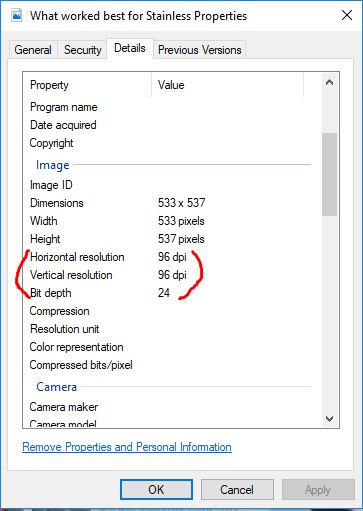
The only thing I can think of would be to be careful of the color depth and DPI in the images you import. Higher numbers make for much heavier images.
Neil
Attachments:
-
May 23, 2019 at 5:24 pm #239391Ariana ThompsonParticipant
Thanks again, Neil.
My textures are pretty consistantly 96dpi – but when I bring them in to 2020 I always choose “Large” not “Normal” because normal inevitably ends up blurry.
Maybe the upcoming switch to 64bit will mean the computer allots enough memory to the application that my kit file sizes will no longer be an issue!
Cheers!
Ariana
-
June 8, 2019 at 7:09 pm #240376Ariana ThompsonParticipant
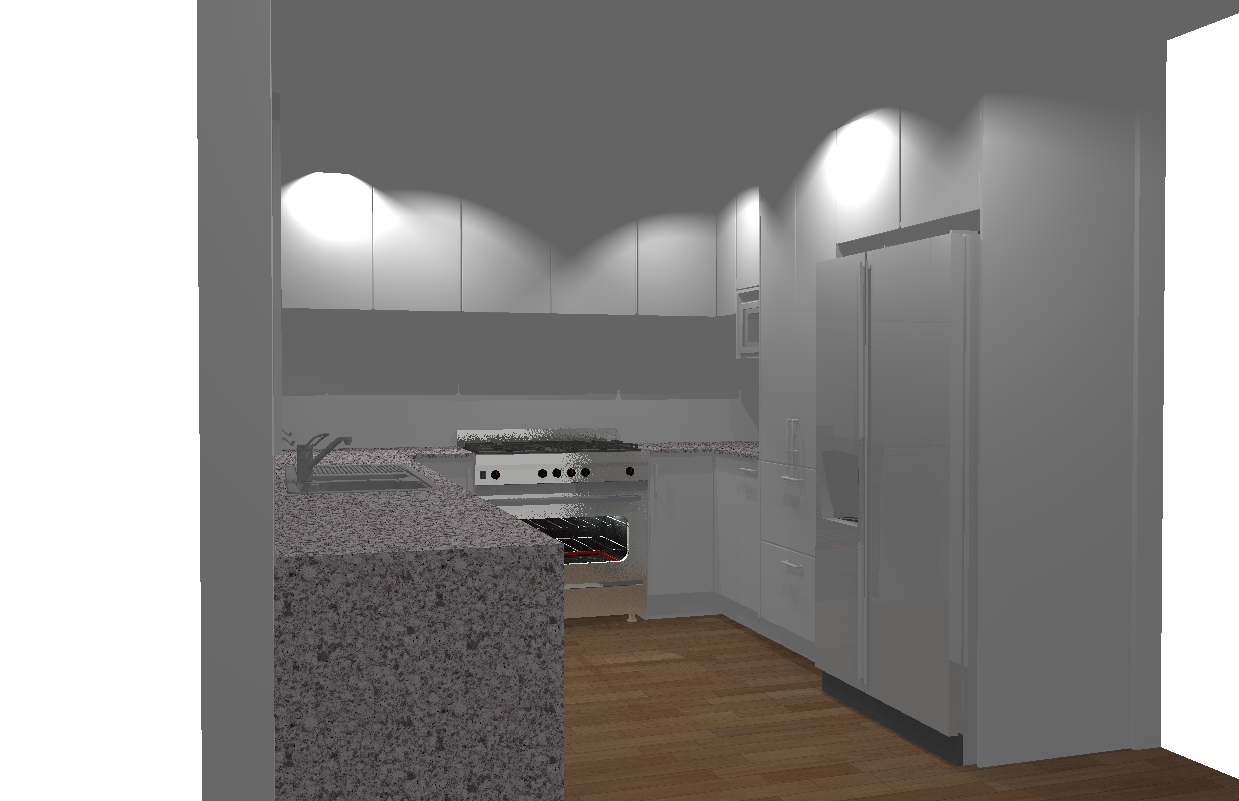
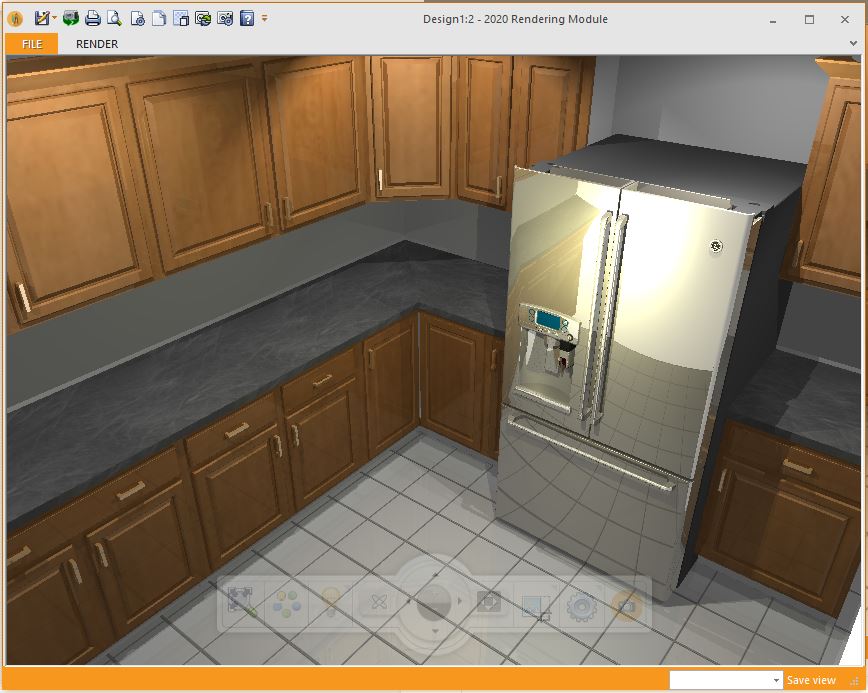
I am sending some kit files in for the 2020 folks to look at, but for the record – here is the same image of the same kitchen – I haven’t changed lighting or anything – just the Render setting.
Ariana
Attachments:
-

You must be logged in to reply to this topic.