
-
-
April 12, 2017 at 10:47 am #124952
Sian R
ParticipantI’ve started to use the universal lighting much more but I am having real trouble with the LED strip lights available – The Under wall cabinet LED light, Under worktop LED light and Under base cabinet LED light.
If I use the LED strip lights they seem to throw too much light on the floor and plinth.
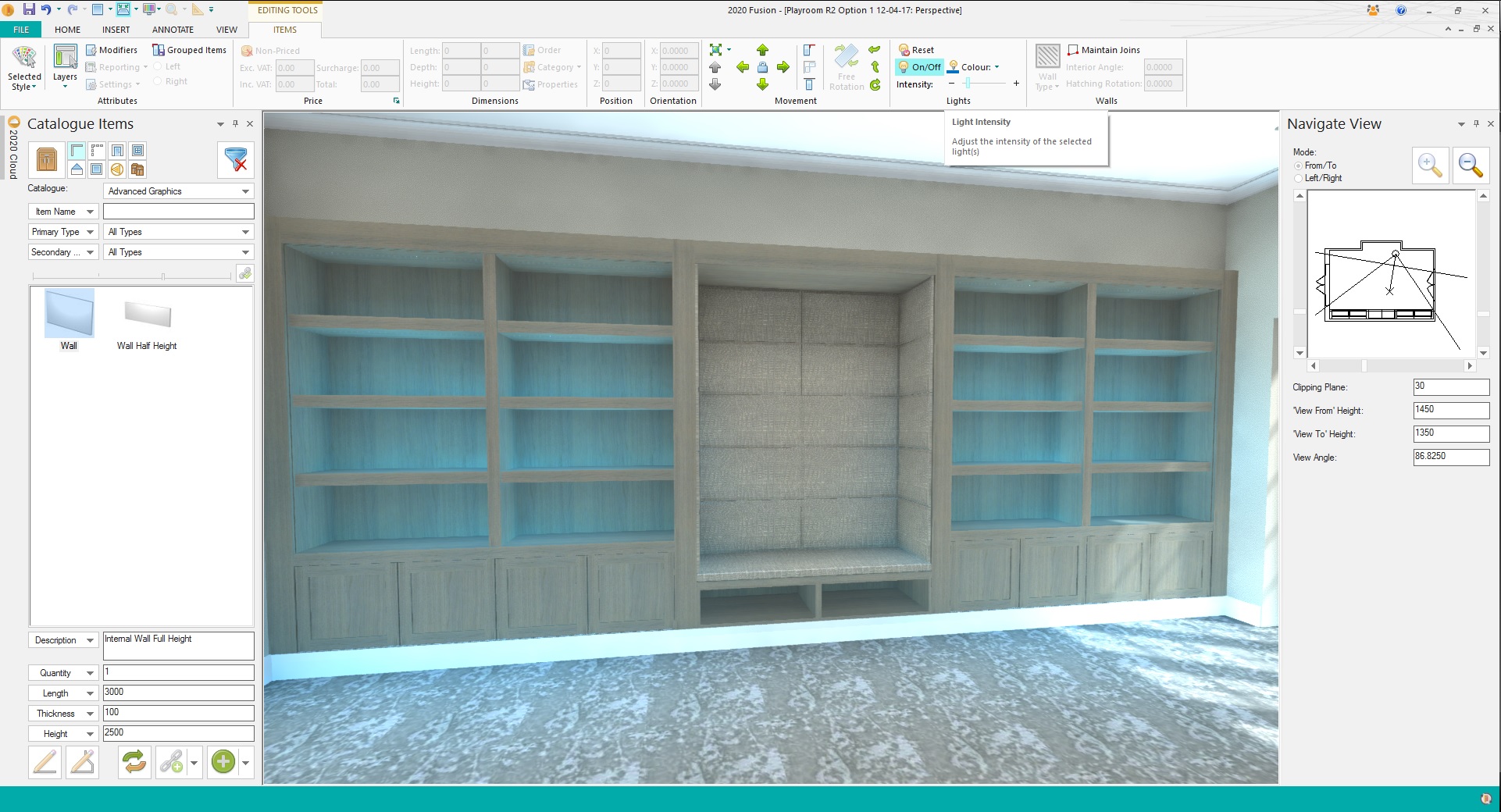
In the picture attached there are strip light rows in the top of the unit and the top two shelves but no lighting on the bottom shelf yet there seems to be light there. Lights shouldn’t be able to pass through a solid object! I’ve check the position of the lights (no easy task as you can’t seem to see the LED lights on plan – this would really helpful to add in please) and they are definitely where they should be.
If you look at the attachment you’ll see the intensity of the light is a the bare minimum but is still creating too much light.
Has anyone had an success with these lights?
Thanks
Attachments:
-
April 12, 2017 at 11:32 am #124962
Ric McGarry
ParticipantI am also having real issues with the lighting, I know Fusion has been moving towards a more natural lighting feel but there still needs to be options to allow users to improve the lighting in areas that require , there is not a lot of value in showing a client a realistic “pretty picture” if the furniture your trying to sell is hard to see. In the past some well placed *point lights always helped show the product at its best.
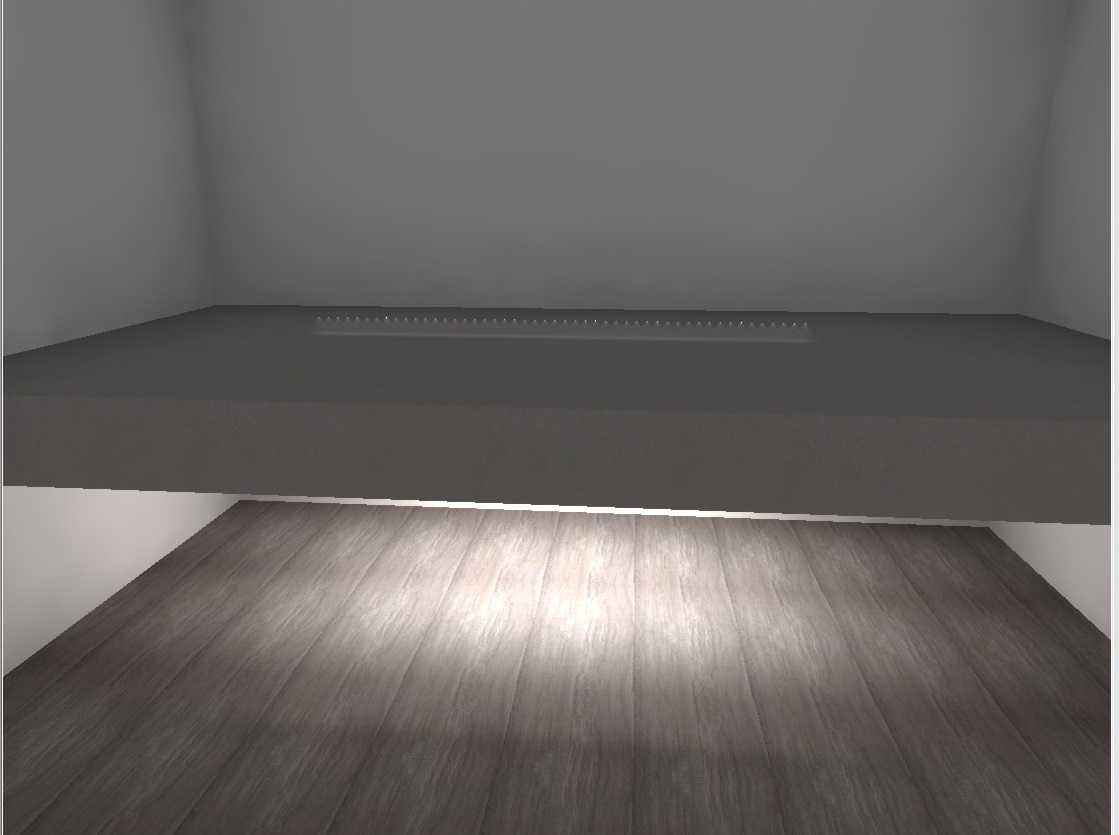
Also as Sian’s mentioned above the lighting seems to ignore the furniture which makes it unusable, I attach another image showing the under worktop lights from universal lights shining through a 150mm worktop and lighting the floor.
Attachments:
-
April 13, 2017 at 5:50 am #125014
Ollie Farrant
2020 ExpertHello
Can you both confirm you are running with the latest version of universal lighting ? You can check this by going to > File > Manage Catalogues > Check for updates
I have taken a look at the above attached images and I fully agree with that light should not be able top pass through a solid object, I will investigate this further and update you shortly.
When it comes to brightening up certain areas of your room, you should be able to use lights form universal lighting catalogue, in the updated Universal Lighting catalogue, a new Spotlight has also been added which can be used to brighten any darker areas of your room. You can point spotlight at any angle. Ceiling down lights should also be used.
For *SPOTLIGHT, you can use the “Single Line Tool” to draw the direction of light.
You can also control the angle of the spot by changing the “Length” value. “50” is the default, which results in the spot pointing straight down.
Please let me know if you have any further questions, I will get back to you shortly on the light passing through solid objects issue.
Thanks
-
May 16, 2017 at 4:31 am #130366
 Lukas -> www.szymtech.plParticipant
Hi Sian R
did You figure out how to solve this problem ?
Regards
Lukas -
May 16, 2017 at 7:43 am #130368Lukas -> www.szymtech.plParticipant
I had a lot of problems with lighting,
that’s why I gave up the part of the pen-drawn lighting -
May 17, 2017 at 4:59 am #1307692020 Expert
Good Morning All
I apologise for the delay here,
We have now corrected the LED lightning issue in the latest version of Universal Lighting, Please “Check for Updates” to download the latest version of Universal Lighting.
Many Thanks
Ollie
-



You must be logged in to reply to this topic.