 Chris Setlock
Hi Neil,
Sure. It’s happened with a bunch of items recently.
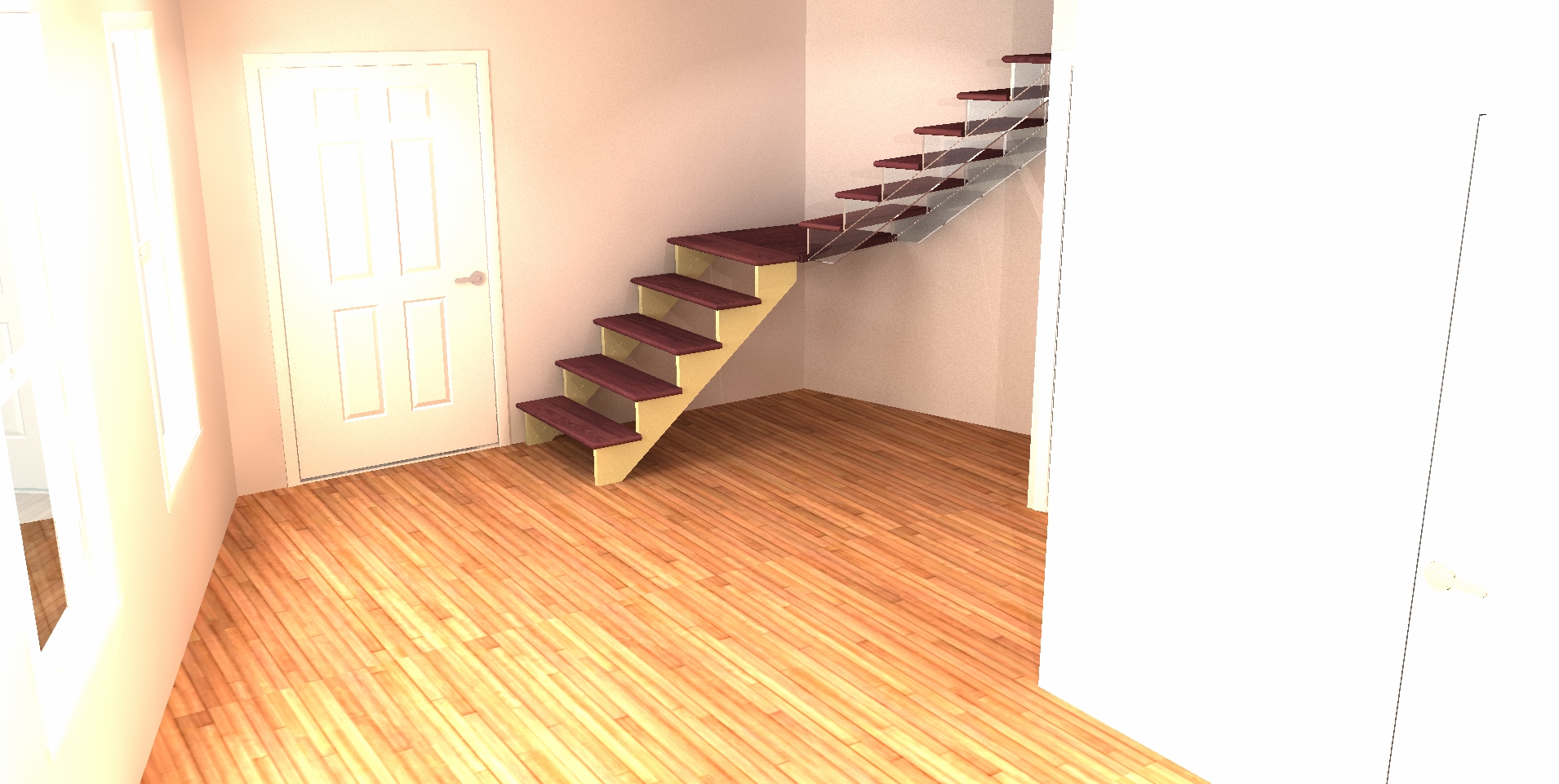
In this case, I was trying to give the look of a floating staircase. I used stair.0 from the sample-generic catalog. In attributes, I played with textures until I knew which one was the stringers. In this case it’s texture 1. I changed the texture to common>none>none. In the past that’s always made the item or component disappear. Now, it makes it render as battleship grey in the thumbnail. What’s odd is that in the rendering (see attached) it renders as a flat color of the original texture. Stair.0 by default is a yellowy ash texture.
On the upper flight of stairs I set the texture to clear glass as a temporary work around.
Last week, I was trying to disappear the stand from a flat screen tv so I could wall mount it. Similarly, I could only make it turn grey. Again, I found that turning it to glass made a passable result.