August 3, 2018 at 2:52 pm
#197169
 Neil Wilson
Participant
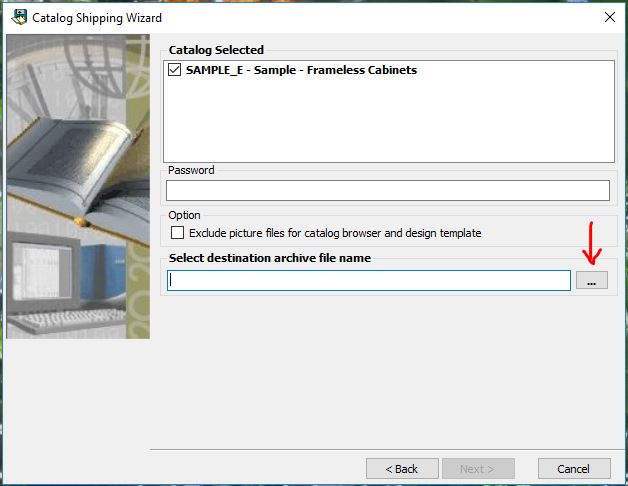
Thanks for the attachment, it explains a lot. That isn’t the full ship screen. You are missing the bottom half of the screen. If you can make that window bigger you will find the next line is asking you to select a destination folder and file name for the shipped catalog. When you fill that in you will be able to select “Next”.
If you can’t just drag the window larger you will probably need to change the resolution on your monitor to 1920×1080 to see it all. Right click on your desktop and select display settings and in the settings you should be able to change your resolution. You will then need sign out of Windows so the changes take effect.
Hope that helps.
Neil