 Jim Smalley
Hi Richard,
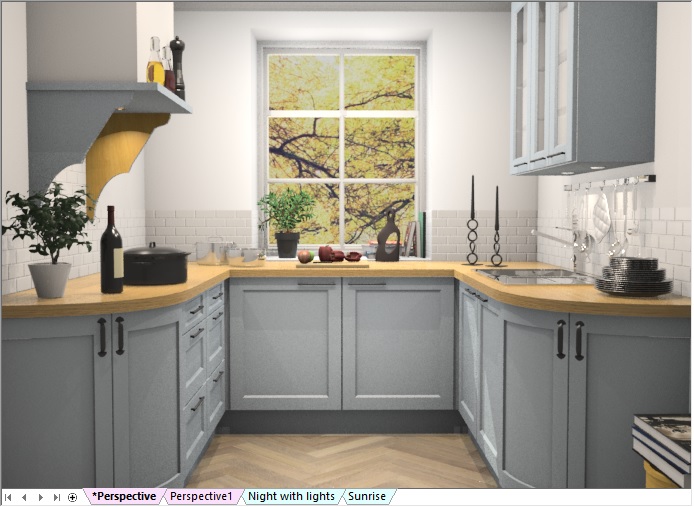
Upgrading to Version 6 will vastly improve your user experience in this respect, specifically via the application’s revamped Named Views system, which allows you to create, save and instantly recall specific views in each of plan, elevation or perspective.
The solution uses a ‘tab’ mechanism similar to that of MS-Excel making it quick and easy to navigate and manage.
Examples include – ‘layered views’ for different product types (e.g. worktop only views, tiling only views, installation symbol only views); ‘positional views’ to easily define and recall different viewpoints in the same design, or ‘themed views’, allowing you to create representations of the same design at different times of day. Or indeed combinations of all of these.
You may still need to create and assign to a layer, but moving between defined layers has never been easier. Indeed, in perspective views (Presentation and Presentation Plus) all unmodified views are cached, which means they will not re-render when recalled!
Best wishes,
Jim