January 30, 2019 at 3:11 pm
#225581
 Ken Watkins
Participant
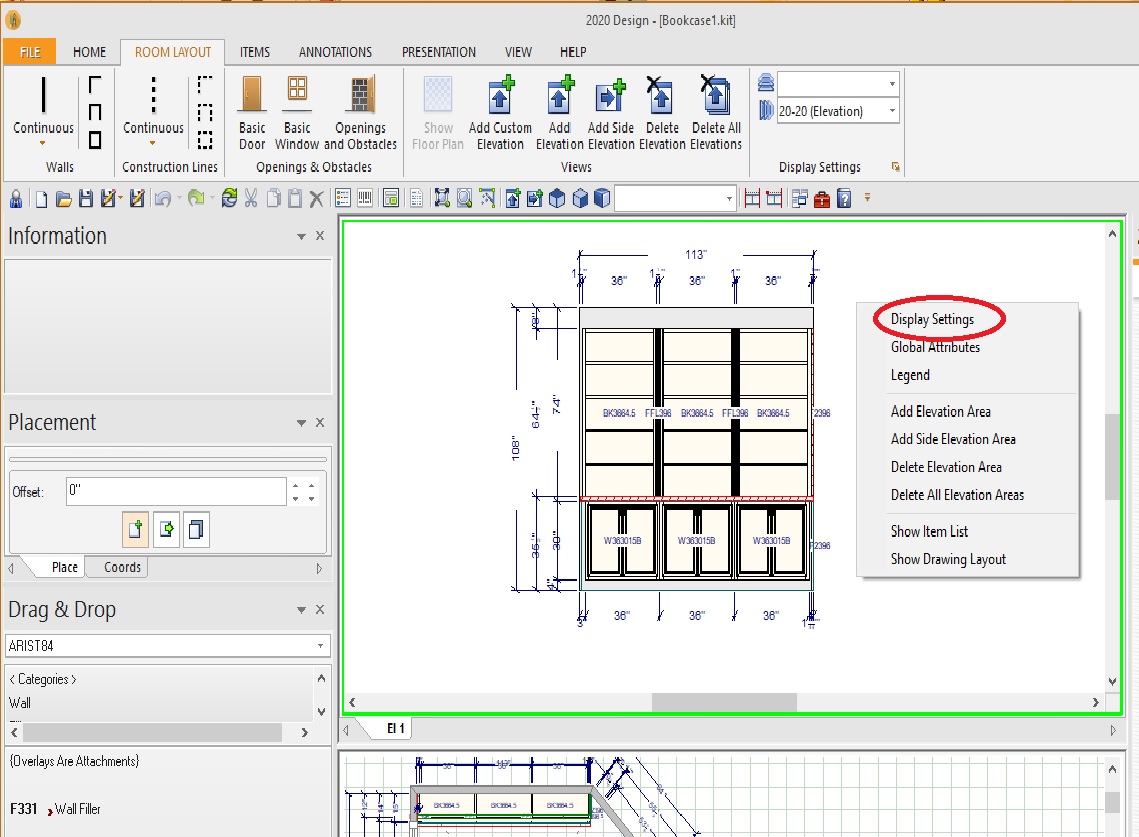
Right Click on the Elevation or Layout Window (see Capture0.jpg)
Select Display Settings
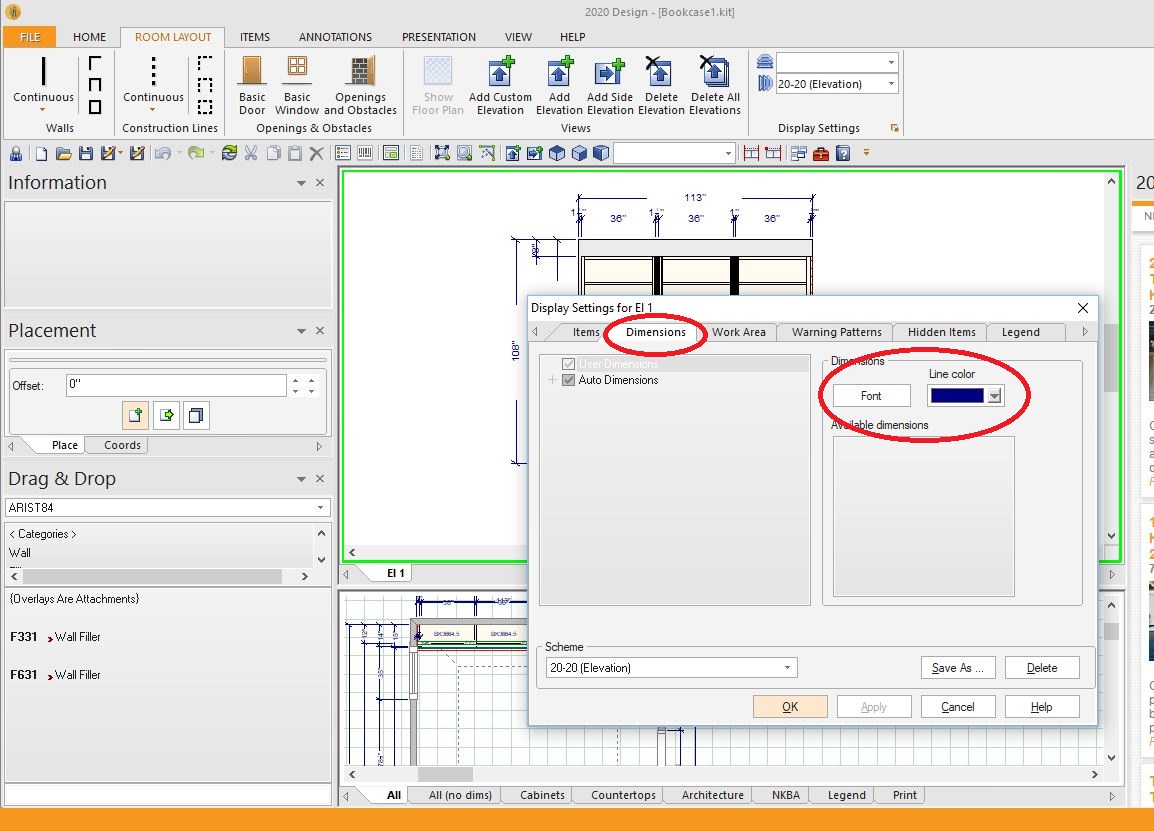
Select Font on the Dimensions Tab (see Capture1.jpg) You can also change the line color here.
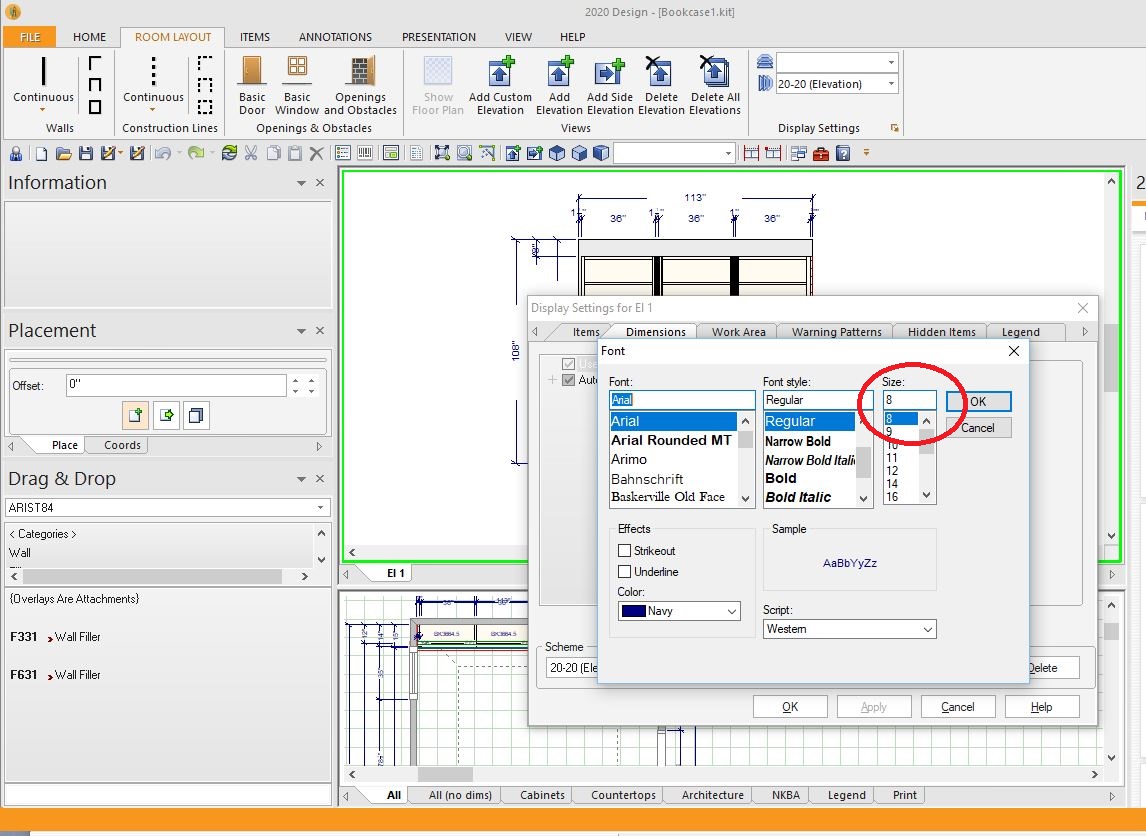
Change the Font Size (and style if you want). If you are printing at aprox 1/2″ scale, 10 or 12 should work (see Capture2.jpg)