April 8, 2019 at 8:11 pm
#233598
 Mike Langensiepen
Pilot Pro
Hi Dan,
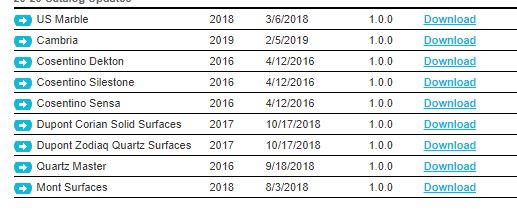
Are you using the Countertop Wizard or the Design/Countertops & Trims dialogue? If the former, you need to install the imperial countertop wizard catalog and then you can install additional catalogs from the manufacturers list (see images). These allow you to specify thicknesses, profile etc.
If you are using the Countertops & Trims dialogue (or the place dialogue) then the overhangs are set in Preferences. Most of these countertops can have their thickness adjusted to pretty much anything you want.
I’ve seen the issue where the countertops appear black but not sure whether it is an issue with the 2020 version or the chosen catalog. After I re-installed, the issue went away.
Hope this helps.