Kristopher Papaleo
Hi Nader,
You would not add pricing to your drawing by typing in the price you want from the Items List.
The prices of all styles exist within the catalog as the pricing is assigned by the manufacturer. To obtain any price, you would first need to assign a Style to your drawing.
To assign styles:
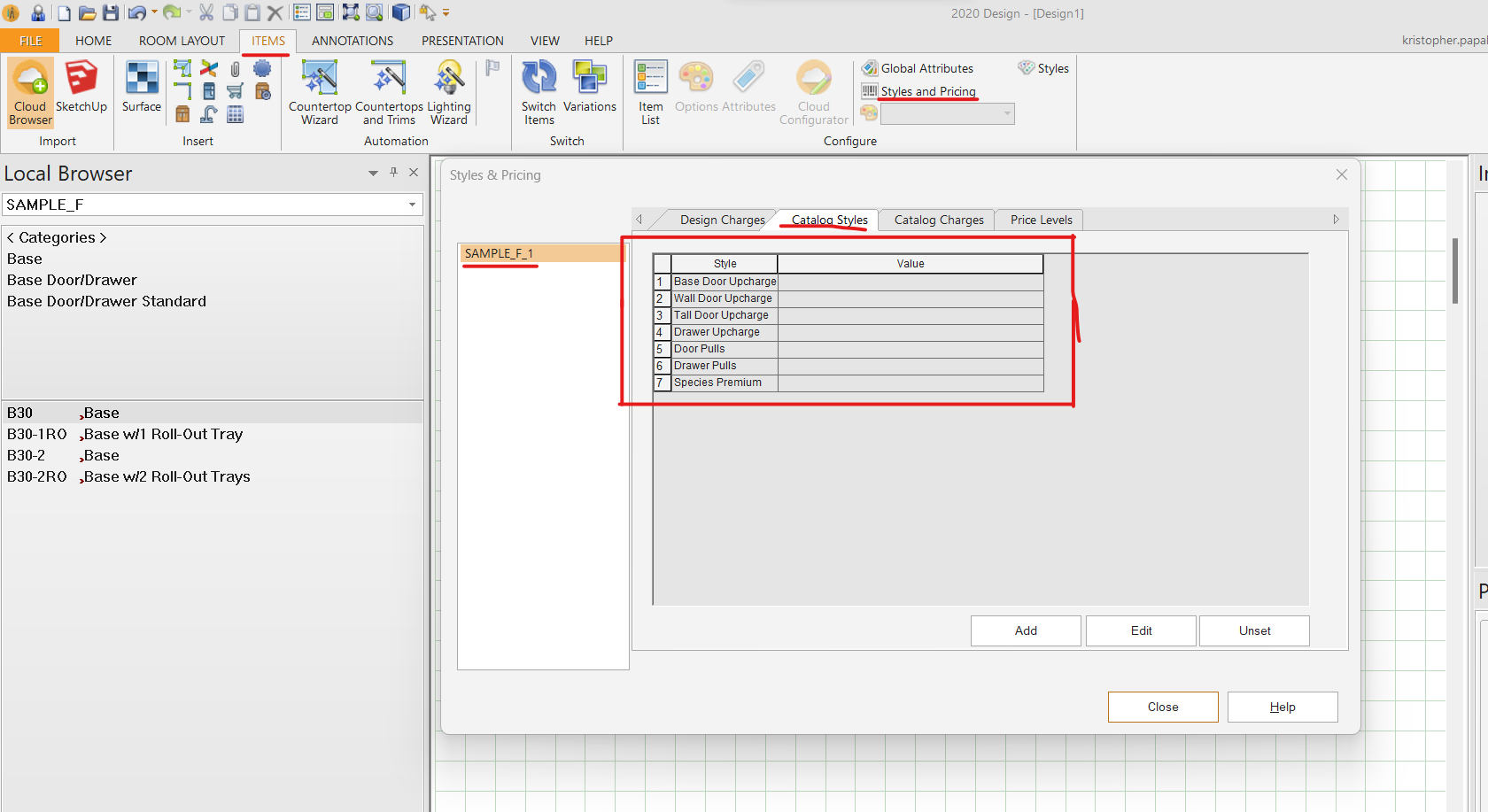
From the floorplan, go to the ITEMS tab and click on ‘Styles and Pricing’. In this option, select the cabinet catalog from the left side and then click on ‘Catalog Styles’ from the right side. Once in ‘catalog styles’ you want to double left click within the empty value section and then you would go through the process of selecting all your styles (See image attached). Once this is done, then pricing would appear for you in the Item List. You can also head to the ‘PRESENTATION’ tab and click on ‘Reports’ to create a quote if needed.
Regards,
Kris