August 25, 2016 at 4:13 am
#98771
 Jim Smalley
2020 Moderator
Hi Lukas,
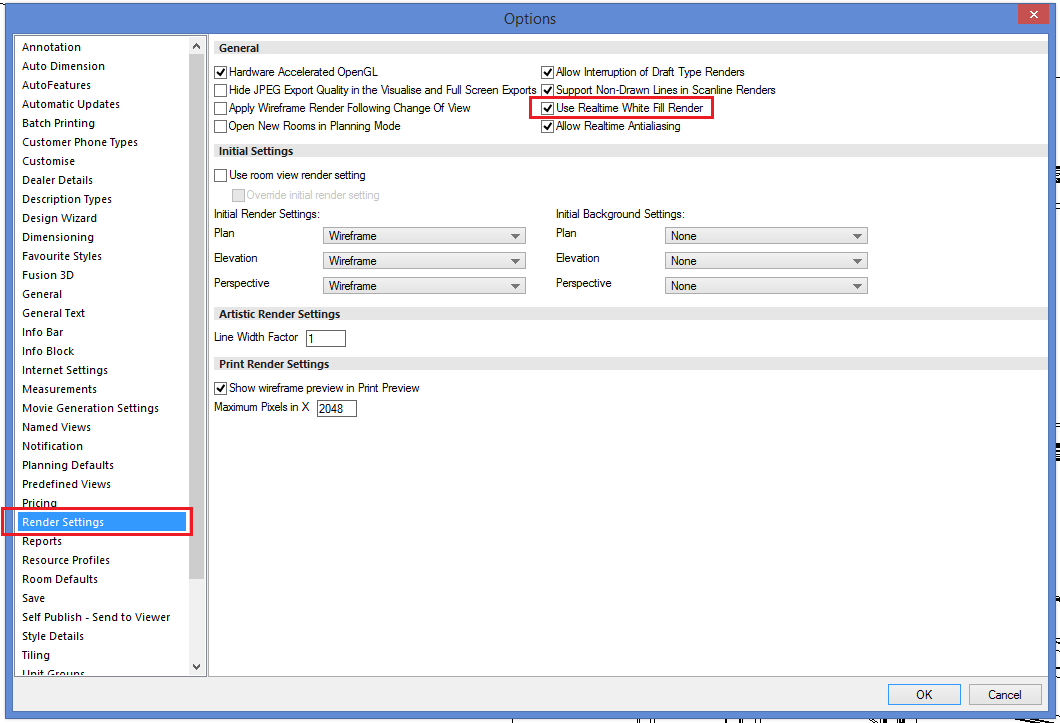
There are two different White Fill settings, perhaps the setting has changed from the one you were previously used to. Please try checking the ‘Use Realtime White Fill Render’ option in the ‘Render Settings’ section of ‘Options’, close and relaunch the application. Hopefully, when you view a white fill render of the design again, the render will look as you expect.
If this does not provide a resolution, please contact the 2020 Support Helpline for further assistance.