-
For kitchen & bathroom designs that sell themselves add finishing touches with the latest accessories. –>Read blog post https://bit.ly/2rA2nNa
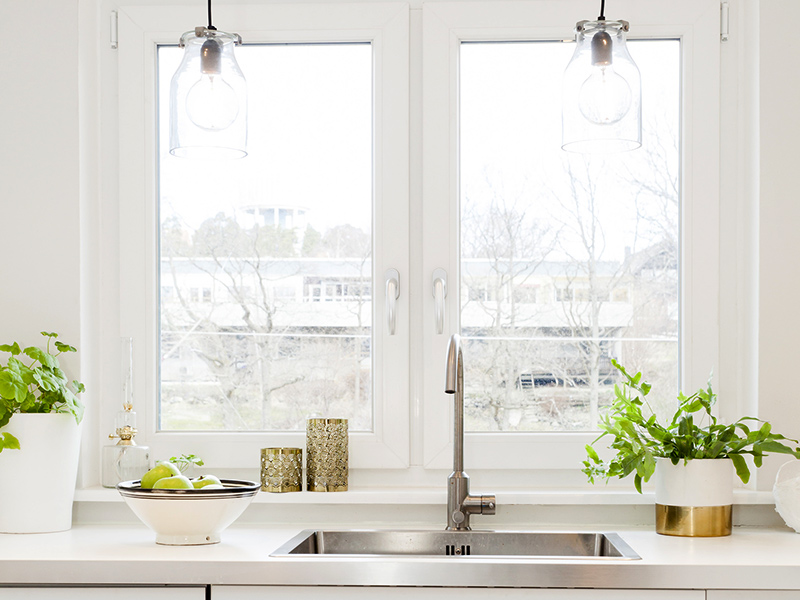
Do you use room accessories in your designs? If so we’d love to know about your favourites and top tips!
Special 2020 Design Webinar
Are you looking to expand your design repertoire? Are you looking to generate new revenue? Are you a seasoned designer looking for tips on creating functional yet aesthetically pleasing spaces such as closets, bathrooms and storage areas?
If you said yes to any of these questions, listen in, as John Morgan, a 2020 Design expert demonstrates how big designs come in small spaces!!
This webinar is eligible for 0.1 NKBA CEU credits.
Hi,
I am trying to use boxes to create different views out of different windows from the room but I do not seem to be able to get the images to stretch to fit the box on 2020 fusion, it pretty much automatically did it on 2020 design. Does any one have any tips/ideas to overcome it – It does not make any sense to have the same view out of every window!! And the boxes make multiples of my photos so does not work atleast not thus far! Thanks
The resolution of images created by 2020 Visual Impression is dependent on the display resolution of the computer and the size of the Visual Impression window at the time the image is captured. For example, I am using 2020 Visual Impression with a 1080P monitor with a maximum display resolution of 1920×1080. This is the highest resolution my snapshots will be. This resolution works well for displaying on most equipment and for small scale printing. However, there may be times you desire a higher resolution output for your rendering. For example, large scale printing or displaying on higher resolution devices such as 4K monitors or projector equipment.
The Custom Render feature in 2020 Visual Impression will allow you to render your image at your desired resolution.
The feature may be found by clicking the Presentation button at the top of the screen, and then choosing the Custom Render button.
Here you may make final adjustments to the scene and set the rendering quality such as SQ, HQ, HQ+, or HL. You may then input the desired Resolution, Aspect Ratio, and PPI setting.
When ready, click the Start Rendering Button. The program will then process and render your image with the applied settings. This can take some time depending on the settings used. When finished, the image will be created and accessible via your presentation tab.
For more tips on getting the most out of your 2020 Visual Impression renderings check out “The Art of Rendering” post by clicking here.
Facebook Live + 2020
It’s almost #2020FunFriday! Come and hang out! Get inspired and learn inside tips on 2020 Design!
Join 2020 Design Product Manager Santiago Morales as he live-streams his design while adding cool decorative items from the new 2020 Cloud! Take the opportunity to learn more about 2020 Cloud, discover a few of Santiago’s favorite tips and ask any question you might have on 2020 Cloud!
Here is the tip that we will be discussing on Facebook Live this Friday October 28, 2016 from 11-11:30 EST.
Get the most out of 2020 Fusion with this one-hour complimentary webinar dedicated to showing new and novice 2020 Fusion users all the most helpful tips and tricks. Join Frank Shortt, one of our dedicated sales agents on October 20, 2016 from 14:00-15:00 (GMT), for a compressive webinar that will arm you with all the necessary tools to get you started on your 2020 Fusion design journey.
Why you should attend:
- Learn how to easily navigate 2020 Fusion.
- Discover basic drawing and designing techniques.
- Enhance your designs with advance tips and tricks.
Be sure to check out our 2020 Spaces YouTube Channel. Specifically “2020 Tips for Office Designers“. Here you will find some helpful videos which cover the new features included in the 2016 Software such as the new color column functionality in Worksheet, new available Tags in CAP Designer, and more.
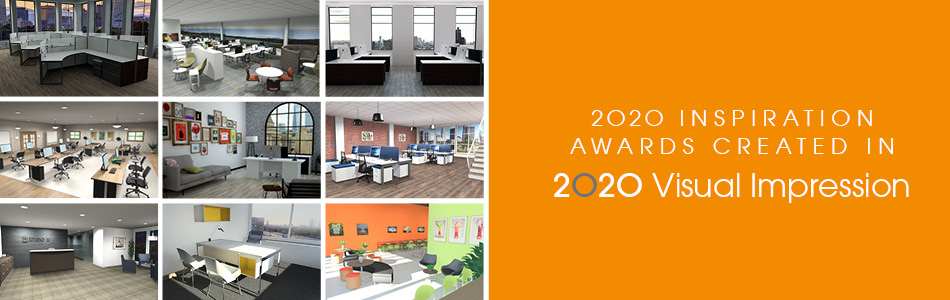
How to inspire using 2020 Visual Impression!
Get the most out of 2020 Visual Impression with our special “Tips & Tricks” blog post. Learn how to create visually stunning renderings from 2020 product manager Cindy Maple. In this blog, she highlights the creative use of 2020 Visual Impression using the designs submitted in the 2020 Inspiration Awards.
The Art of Rendering!
Discover best practices for creating stunning & realistic renderings.