Search Results for 'tips'

  • Topic: New Blog Posts

    April 1, 2019 at 11:03 am #231689
    Rita Melkonian
    2020 Admin

    Hey there 2020 Office community! Here’s a roundup of the latest blog posts you might have missed.

    5 Conference Room Design Tips for a Functional Space

    Reception Area Design Tips for Offices

    Happy reading!

    Neil Wilson
    Participant

    Thanks Andrew!  Awesome tips!

    Neil

    Amy Truchan
    2020 Moderator

    Part two of the eBook series:

    Do you know all the tips and tricks to closing more sales through visualization?

    This ebook is an interactive, informative and inspirational collection of designs to inspire your creativity and help you close more sales in the process.

    Here’s what you’ll learn:

    • How to make your office designs stand out
    • How to show off your designs and close the deal
    • Create complete spaces including ceilings, windows and lighting

    Learn More

    Andrew Irving
    Participant

    I do pretty well with renderings in V11. There are a few tricks I’ve found helpful:

    Delete the back wall; By this I mean, the wall behind the camera perspective. If the room is fully boxed in with walls and you have ceilings turned on, no ambient ‘scene’ light can reach the stuff you want in the image.

    Use the ceiling light option- I usually place it out of the camera frame, but in a place where it will throw good light and the shadows lay in a pleasing way.

    Change the background color- This is an odd one, but especially when rendering very light colored cabinetry, I’ve found that selecting a background color that’s a light gray or beige, rather than white, throws the cabinetry into slightly sharper contrast.

    Ambient lighting- This setting is your friend, use it a lot! You generally don’t have to bump it up much, but the default setting is very low, so tends to leave stuff in shadow.

    Visible Sun- Especially if you have windows in the design, visible sunlight can add a lot of light and some pretty dramatic shadows into a design. It’s not always the answer, but it can be lovely.

    Exposure- After you’ve created a high quality image, you can adjust the exposure by selecting the lighting tool. This is basically a filter, and has a slider you can move back and forth, or you can enter numbers manually. A little exposure goes a LONG way in 2020. The difference between 1 and 1.2 is rather a lot. I’ve often found that if I put more light than I actually want into an image, then dial back the exposure a little, I get nicer results.

    User Light- User lighting is complicated and takes a little getting used to, but it’s worth it. Use the light fixtures from the 2020 local catalog, since the cloud options don’t have functional light effects yet. After you place a fixture, you can select ‘light properties’ and change the angle, intensity, and color of the fixture. This is a great way to add realistic lighting and shadow to your design. Don’t rely on the default light color- select something a little more yellow or orange to get closer to the soft-white that most people tend to prefer, unless you’re doing a super modern design, in which case the brighter white is fine. Also, I’ve found most fixtures look better if I open up the angle a LOT to flood the area with light.

    The Lighting Wizard- One common element of really great renderings is that they usually include cabinet lighting; Under-lighting, interior lighting, etc. You can download the Sensio catalog from the 2020 web site, and even if your shop doesn’t sell Sensio (They’re a fine product, but there are many choices) using it just for the visual effects helps a lot.

    Render Settings:
    When doing a high quality render, don’t bother with high or even mid quality until you’ve done it on low and you’re sure it looks the way you want. This is mostly just a time saver, but rendering on low is way faster and you’ll quickly get a feel for recognizing if the lighting or colors are off, without having to wait forever for a high quality texture rendering.

    Hope some of these tips help!

    Topic: Raised or split level floors

    February 6, 2019 at 11:39 am #226055
    Leigh Quilter
    Participant

    I was wondering if anybody has any tips on how to create raised or split level floors in Fusion 2020? I know that I could simply put a box in freehand, but I want to know a way (if possible) of enabling me to use the advanced floor coverings function to make it look like the rest.

    Topic: Exporting and keeping dimensions

    January 30, 2019 at 12:42 pm #225577
    Kalin McGahey
    Participant

    Trying to send a project off to get printed, any tips on how to keep the dimensions after exporting?


    Thanks,

    kalin

    Amy Truchan
    2020 Moderator

    2020 Design Expert Techniques- Wednesday, December 12, 2018 at 2 PM (EST)

    Can’t make the webinar?
    Request a recording by registering.

    Would you like to take your kitchen, bathroom and closet designs to the next level? Improving your speed, accuracy and profitability might just be one tip or trick away!

    John Morgan, 2020 Design expert, will be on hand to arm you with new tools, techniques and hidden gems of information to give you an edge on your competition.

    Register now

    Topic: Tips & Tricks for stunning renderings

    November 9, 2018 at 10:42 am #214982
    Nicole Mentzen
    2020 Moderator

    Do you want some tips & tricks how to create stunning renderings and panoramas? Struggling with how to set the lights correctly? And what can you do with all the great items in 2020 Cloud? Check out our tips&tricks flyer, find out and amaze your customers

    Rita Melkonian
    2020 Admin

    Hey there 2020 Office community! Check out our latest blog post on quick tips on designing the perfect office break room.
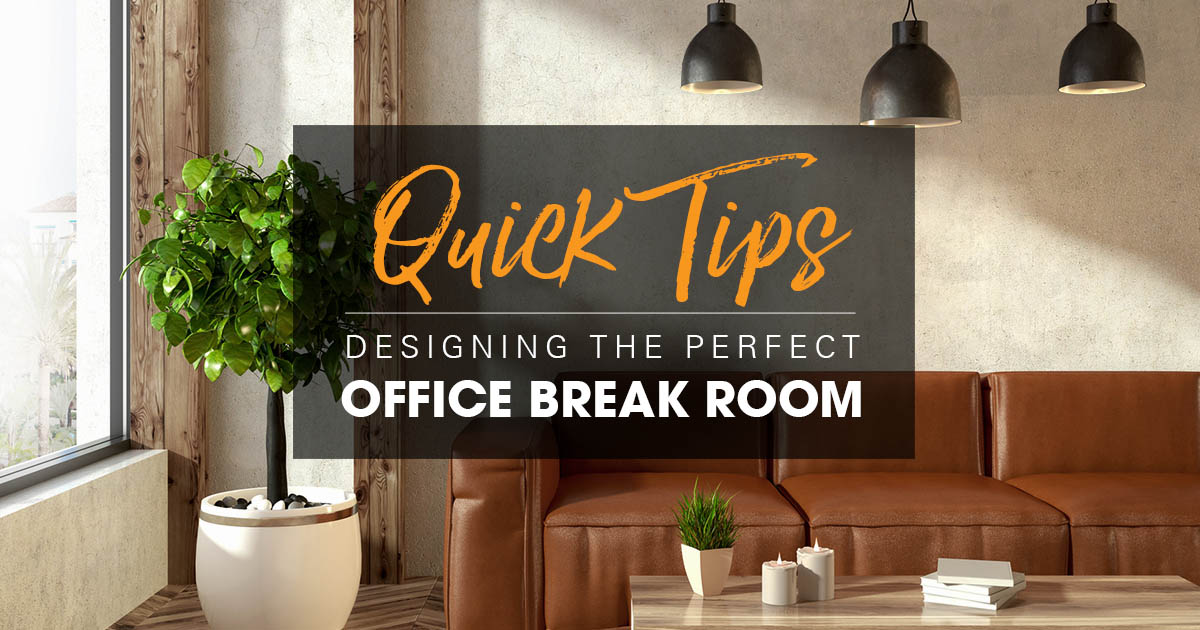
    Happy reading!

    In reply to: Blog Roundup August 2018

    October 17, 2018 at 2:40 am #209114
    Beth Allcot
    Participant

    Hello. Great posts, especially this one about Social Media Marketing Tips for Kitchen & Bath Cabinet Dealers. Recently, I wrote an article about Marketing tips for Window & Door Companies. You can click for more info here. I think you definitely will like it.

    In reply to: Suddenly Windows don't cut thru the wall…?

    October 9, 2018 at 7:05 am #207865
    Andrew Giambrone
    Participant

    Interesting! Your advice actually solved my problem! I think the next article in my blog will be about all these computer things. By the way, if you are interested – https://www.speckygeek.com/writing-research-papers-info-products/ you may check it out! I write about useful tips for students. Hope you’re gonna like it!

    In reply to: 2020 Design Hardware

    September 13, 2018 at 11:25 am #203555
    Mike Cook
    Participant

    Thanks for all the input. I am going to try  setting up VMWare workstation virtual OS (windows 10) on a USB-3 256 SSD external drive. I am not a computer expert,  so this will be a long learning process before I attempt it any tips?

    In reply to: Space Mouse?

    September 4, 2018 at 12:30 pm #202178
    Neil Wilson
    Participant

    Hi Dustin,

    We have never tested the Space Mouse with 2020 so I don’t really have any tips for you.  Just wanted to let you know that we have seen issues with gaming mice and even the Dial from the Microsoft Surface Studio not interacting properly with 2020 as well.  My recommendation would be to stick with the tried and true 2 buttons and a wheel when using 2020. 🙂

    Neil

    Topic: Blog Roundup – August 2018

    September 4, 2018 at 10:58 am #202169
    Rita Melkonian
    2020 Admin

    Hey there 2020 Fusion community! Here is a roundup of all the blog posts that were published in August 2018.

    How to Become a Cabinet Dealer

    Social Media Marketing Tips for Kitchen & Bath Cabinet Dealers

    Marketing 101 for Remodelers

    Happy reading!

    Topic: Blog Roundup August 2018

    September 4, 2018 at 10:08 am #202161
    Rita Melkonian
    2020 Admin