-

Make Bright Ideas a Reality with 2020 Design
Enhance your designs by incorporating lighting into them. With 2020 Design, learn how to create visually stunning and realistic renderings that will please your customers. See how adding energy saving LED lights over or under wall cabinets, inside wall cabinets or on toe kicks will showcase your design.
Listen in, as John Morgan presents the best practices in lighting, helpful tips about lighting products and countless techniques to make your designs shine.
hi everyones,
just wondering if anyones have any tricks and tips that they would like to share on using custom textures for the kitchen backsplash?
for example: like a 4×12 rectangle tiles and you want to get it in a stagger look. how do you do that?
or: random long brick pattern mosaic, how do you get the continuous look?
and do you have any website that you would like to share on where you download your images?
Make Bright Ideas a Reality with 2020 Design
Thursday Feb 18, 2016, 2-3pm EST
Enhance your designs by incorporating lighting into them. With 2020 Design, learn how to create visually stunning and realistic renderings that will please your customers. See how adding energy saving LED lights over or under wall cabinets, inside wall cabinets or on toe kicks will showcase your design.
Join presenter John Morgan for this complimentary 1 hour webinar and discover best practices in lighting, helpful tips about lighting products and countless techniques to make your designs shine.
Topic: Custom Backsplash
I often have a backsplash with more complexity that just standard tile. It will have some sort of design or accent thrown in. I have in the past exported my 2020 drawing to Photoshop and then overlaid the backsplash to give a visual for my customer, but I would like to do this through 2020, so I don’t have to keep doing it for every perspective and so it can be seen in room viewer also. Does anyone have any tips on how to do this?
Watch this short video “2020 Design Tips: Designing with Paint”
Please register here if you haven’t already to access the video.
[eyesonly logged=”out”]Log in to access this content. [/eyesonly]
[eyesonly logged=”in”] What’s hot in the Interior Design industry right now? Paint paint and paint! Watch this short video and learn how to swap out paint colors and use the new Sherwin-Williams paint library in 2020 Design.
[/eyesonly]Industry Trends Report that LED lighting and quartz are in very high demand. Many designers ask me how to activate the Countertop Wizard and Lighting Wizard in their 2020 Design.
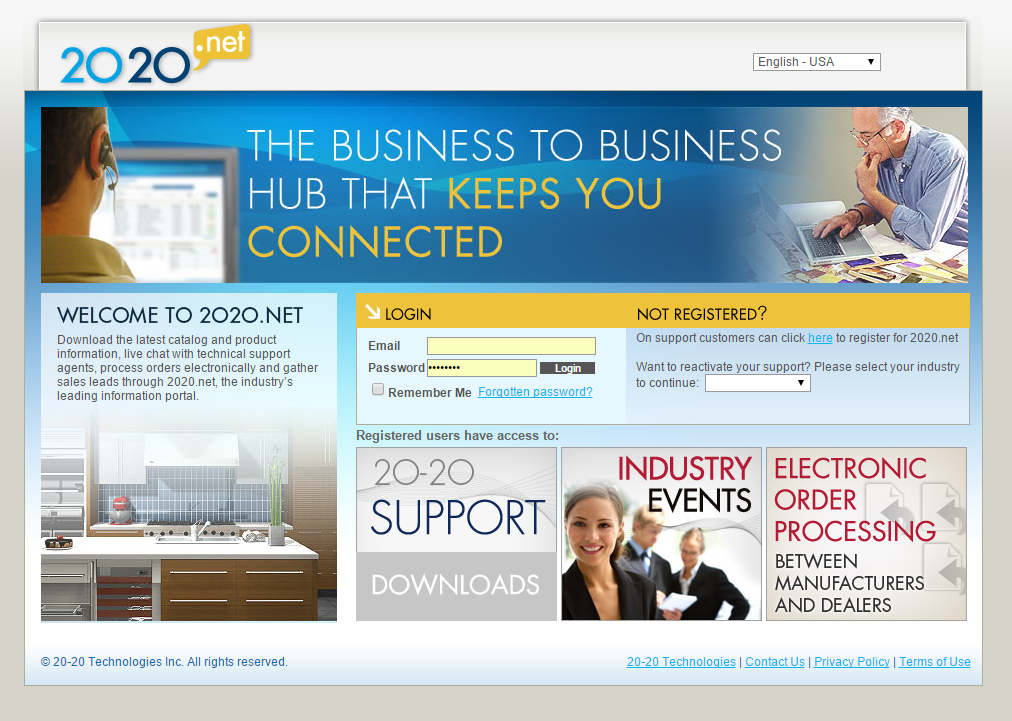
Step one is to login onto 2020.net.
Step two is downloading the catalogs to be loaded into your 2020 Design. We recommend that you try the Sensio lighting catalog and the Silestone Quartz catalogs first. Once you load them into your 2020, you can immediately begin wowing your customers with the LED lighting and Quartz that they are clamoring to see.
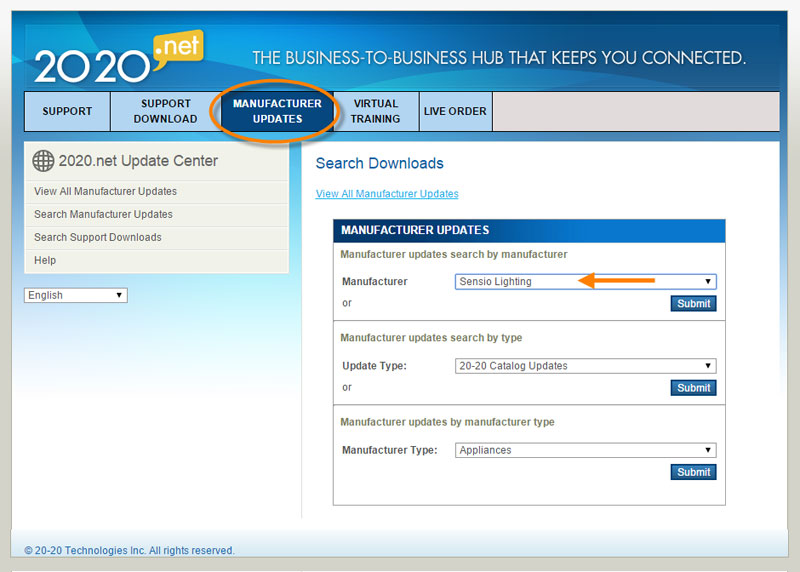
Visit 2020.Net to download these catalogs today.
Not on Support? Contact 2020 Support here to learn more about our services.
2020 Design Tips: Saving time with the Elevation Feature
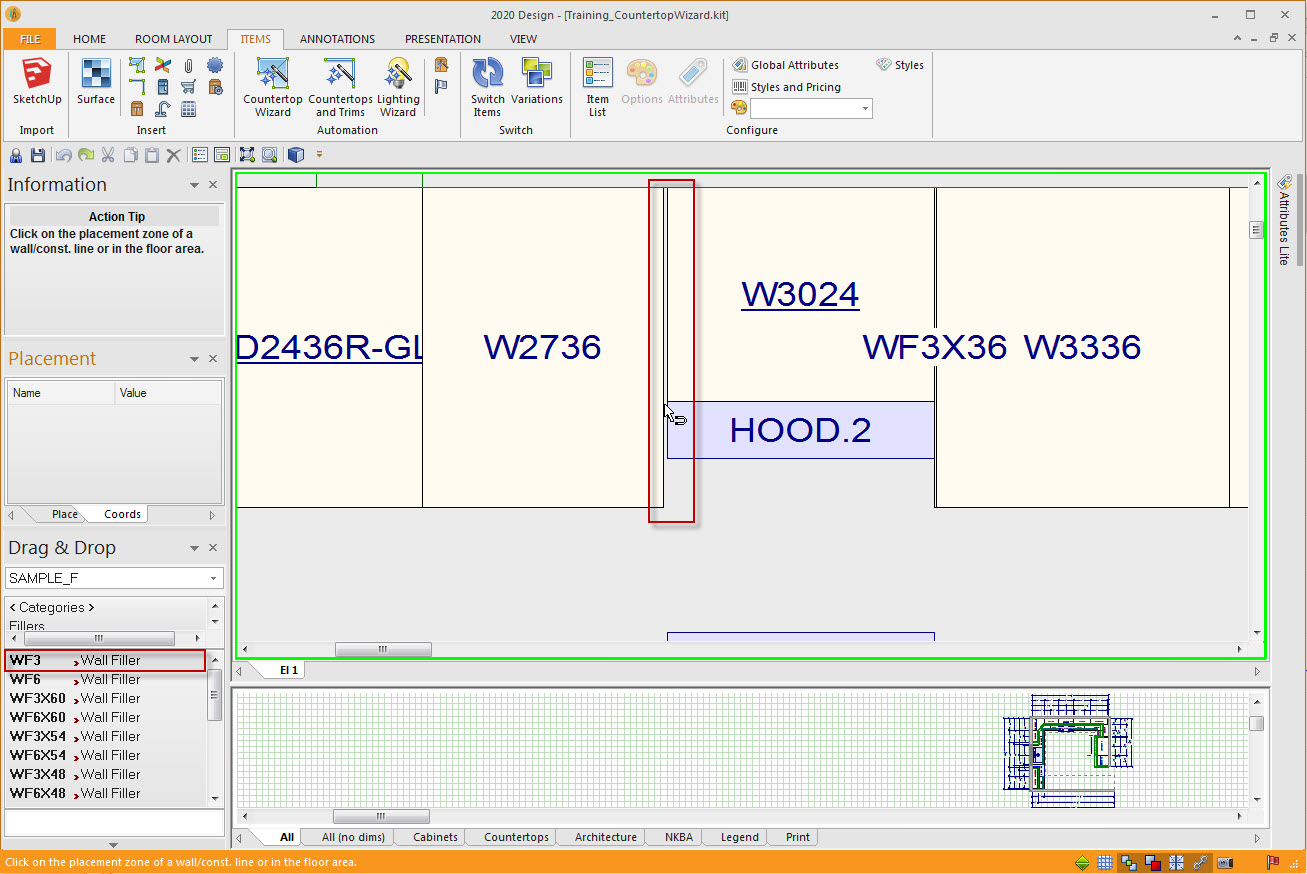
Time: it’s hard to imagine anything that is more valuable to a K&B professional. One of my favorite ways to save time is by using the elevation feature to place fillers in corners. Try it … you will love it. First place your cabinets in the plan except the fillers. Then double click on the work space of the wall where you want to place the filler. Now drag the filler to the elevation and drop it where you need it. It snaps in and will automatically trim to fit. Between cabinets, in the corner against the left or the right wall … it doesn’t matter. Your filler snaps into place and auto-sizes in a jiffy.
This is one of my favorite time savers, what is one of yours?
What is your favorite 3D SketchUp Shape to use in 2020 Design?
Importing 3D SketchUp shapes can bring realism and connection for your client. And when working outside of the Kitchen or bathroom, it elevates your ability to deliver true interior design concepts to your client. I import everything from kitchen chairs to 3D people to Crate & Barrel products to Starbucks coffee cups.
Share with the community some of your favorite shapes.
Topic: How to find catalogs

 Hi Peggy,